How to Recover a Hacked WhatsApp Account Step by Step
 By
By Having your WhatsApp account taken over is alarming. Your contacts are being messaged by someone pretending to be you, your conversations may be exposed, and you’re locked out of something you depend on daily. Act quickly — the faster you move, the better your chances of recovering the account and minimizing damage.
Step 1: Re-Register Your Number Immediately
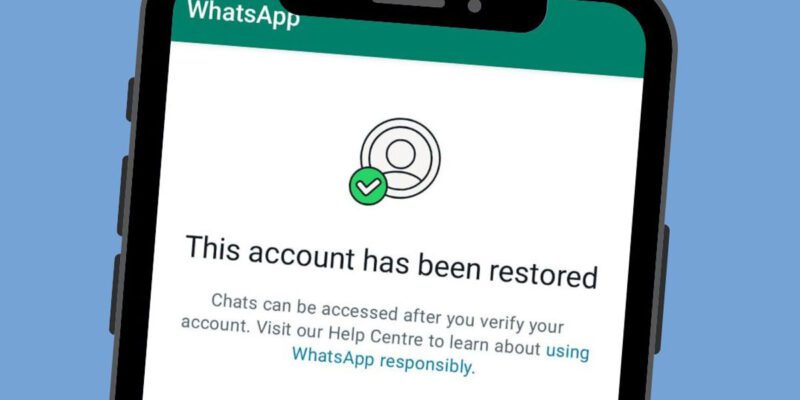
Open WhatsApp on your phone and try to log in with your phone number. WhatsApp will send a verification SMS to your number. Enter the 6-digit code. This logs you back into your account. Whoever took it over will be logged out — WhatsApp only allows one active session per phone number on the primary device.
If You Have Two-Step Verification and the Attacker Changed It
If the attacker enabled two-step verification (a 6-digit PIN), you’ll be prompted for it. If you don’t know it, tap Forgot PIN. WhatsApp will send a reset link to the recovery email you set up — if you set one up. If you didn’t set a recovery email, there’s a waiting period before the PIN requirement expires. During this period, contact WhatsApp support via support.whatsapp.com to expedite the process.
Check Linked Devices and Remove Them All
Once back in your account, immediately go to Settings > Linked Devices and log out all linked devices. The attacker may have linked your account to a web browser or other device to maintain access even after you’ve reclaimed the primary account. Removing all linked devices cuts off any residual access completely.
Notify Your Contacts
Send a message to your key contacts and any groups you’re in explaining that your account was compromised. Warn them to ignore any messages or requests they may have received from your account while it was compromised. Specifically warn against clicking links or sending money in response to any requests made in your name.
Enable Two-Step Verification Immediately
Settings > Account > Two-Step Verification. Enable it now with a PIN you’ll remember, and add a recovery email address. This is the single most important thing you can do to prevent this from happening again. Two-step verification means even if someone intercepts your SMS verification code, they still can’t access your account without your PIN.
Understand How It Probably Happened
Most WhatsApp takeovers happen via social engineering: someone (often using a compromised contact’s account) convinced you to share your 6-digit SMS verification code. They said it was sent by mistake, or that they needed it for something unrelated, or claimed to be WhatsApp support. The 6-digit code is always and only your WhatsApp login code — never share it with anyone under any circumstances.
Report the Incident to WhatsApp
Email support@whatsapp.com with ‘Account Compromised’ in the subject line. Include your phone number, when it happened, and what you’ve done to recover it. WhatsApp support can flag the account for additional security measures and may be able to help with recovery situations that the standard process doesn’t cover.
Views: 47

You may also like

How to Use Your Phone to Build Better Habits That Actually Stick

How to Use Your Phone to Help You Through a Difficult Life Transition

How to Use Your Phone to Manage Your Mental Load and Stop Forgetting Things
More in:Apps

How to Use Your Phone to Reduce Your Environmental Impact
How to Use Your Phone to Make Better Decisions

How to Use Your Phone to Manage Your Children’s Screen Time Without Constant Conflict

TecRounder is a blog that shares New Technology news from around the world (hence the name TecRounder), including the most recent mobile and gadget information: smartphone features, specifications, and more. You can find the latest technology updates here, including the most recent information on smartphones, laptop computers, and other electronic devices.