The Right Way to Clean Your Phone Screen and Case Without Damaging Anything
 By
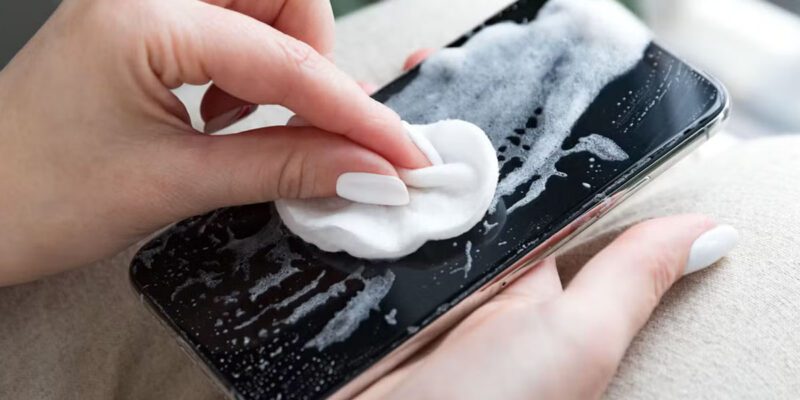
By Most people clean their phones with whatever’s nearby — a shirt corner, a paper towel, a wet wipe from their bag. Some of these work fine. Some are slowly destroying your screen’s oleophobic coating, the thing that makes fingerprints wipe off easily and water bead up. Once that coating is gone, your screen never feels quite as good again.
Here’s how to do this properly.
What Your Phone Screen Actually Is
Modern smartphone screens have several layers. The glass itself (usually Gorilla Glass or similar). A hardness coating on top of that. And an oleophobic coating on the very surface — a microscopically thin layer that repels oil from your fingers. It’s this last layer that cleans most easily but also degrades most easily.
The oleophobic coating is the one you’ll damage with harsh chemicals. Alcohol above 70% concentration, bleach, ammonia, window cleaner like Windex — all of these strip the oleophobic coating over time. They might disinfect, but they also gradually remove the thing that makes your screen pleasant to touch.
What You Should Actually Use
For routine cleaning: a dry microfiber cloth. Not any cloth — microfiber specifically. The weave is tight enough to pick up oils and particles without scratching. A light circular motion, light pressure, done. This handles fingerprints, smudges, and light dust without any liquid needed.
For deeper cleaning or actual disinfection: 70% isopropyl alcohol wipes, applied to the cloth rather than directly to the phone. Apple explicitly says that Clorox Disinfecting Wipes and 70% isopropyl alcohol wipes are acceptable for cleaning iPhone displays. Most Android manufacturers say the same. The key is 70%, not higher, and not bleach-based.
Slightly damp cloth (water only) works for general cleaning and is the most conservative option — least risk, handles most everyday grime.
What Never to Use
Paper towels, kitchen roll, or tissues. They feel soft but they’re abrasive at a microscopic level and will gradually dull your display. The same goes for clothing — cotton t-shirts are popular for quick wipes but they’re not as gentle as a purpose-made microfiber.
Compressed air directly into ports can push debris further in rather than out. If you need to clear a port, use a toothpick or a soft brush — not air.
Anything bleach-based, anything containing ammonia, anything that’s a multipurpose household cleaner. The “kills 99.9% of bacteria” products are too harsh for phone coatings.
Cleaning Different Phone Case Materials
Silicone cases are the most common and the most forgiving. Mild dish soap and warm water, scrub gently with an old toothbrush, rinse thoroughly, let dry completely before putting back on the phone. Remove yellowing from silicone by soaking briefly in a mixture of water and a small amount of baking soda.
Clear hard cases: same as silicone for cleaning, but be aware that yellowing in hard plastic is often oxidation from UV exposure and won’t fully reverse. Prevention is better than treatment here — keep clear cases out of direct sunlight when possible.
Leather cases: use a leather-appropriate cleaner or conditioner. Water can stain and warp leather if applied too liberally. Damp cloth only, never soaking, and follow with a dry wipe.
Fabric cases: check the manufacturer’s guidance. Most can be hand-washed with mild detergent, but machine washing often damages the structure.
How Often Should You Clean
Screen: as needed for smudges, ideally with a dry microfiber. Daily if you’re particular about it, weekly at minimum for hygiene.
The surprising hygiene note: phones carry more bacteria than most people realize because they’re warm, touched constantly, and often brought into spaces (kitchens, bathrooms) where contamination occurs. Actual disinfection — with the 70% alcohol wipes — is worth doing once or twice a week for general hygiene, not just when something visible is on the screen.
Case: monthly for a thorough clean, more often if you use your phone while eating or working outdoors.
One More Thing
Take the case off when you clean. Debris and moisture that gets between the case and the phone can sit there and cause issues. Clean the back of the phone where the case contacts it, not just the front. Then clean the case separately and let both dry before reassembling.
Views: 84

You may also like

How to Use Your Phone to Learn Basic First Aid You Might Actually Need

How to Use Your Phone to Create a Morning Routine That Actually Works

How to Handle Phone Anxiety and the Constant Pressure to Be Available
More in:Gadgets
How to Use Your Phone to Plan and Track Your Garden or Allotment

How to Stop Your Kids From Spending Money on Your Phone by Accident

How to Use Your Phone to Manage Your Time When You Work From Home

TecRounder is a blog that shares New Technology news from around the world (hence the name TecRounder), including the most recent mobile and gadget information: smartphone features, specifications, and more. You can find the latest technology updates here, including the most recent information on smartphones, laptop computers, and other electronic devices.