Why Your Phone’s Battery Percentage Is Lying to You (And How to Fix It)
 By
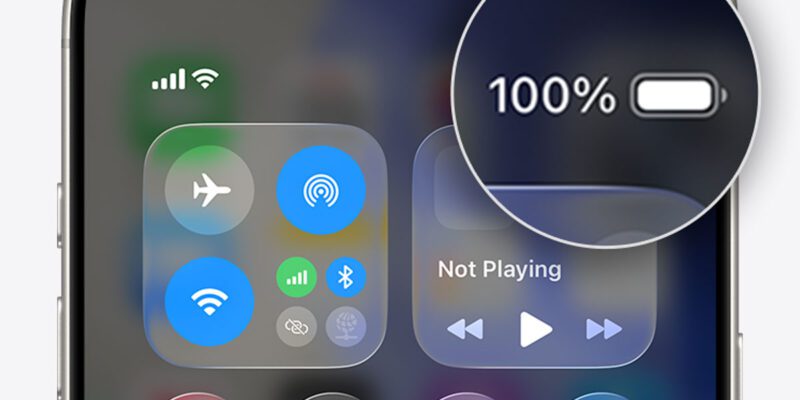
By Your phone says 35%. You’re not worried. Then twenty minutes later it’s at 8%, and five minutes after that it’s dead. You plugged it in and somehow it jumped straight from 2% to 40% within a minute of charging. Something is clearly wrong — but it’s probably not the battery itself.
What’s happening is a calibration problem. The software that reports battery percentage has lost its sync with what the battery is actually capable of.
Why This Happens
Your phone’s operating system doesn’t directly measure battery capacity. It uses a fuel gauge chip and a set of stored calibration values to estimate the remaining charge. Those estimates are calibrated against the battery’s known full capacity and discharge curve.
The problem is that batteries change over time. As a lithium battery ages, its actual capacity decreases, but the calibration values the system uses don’t always update as quickly as the real-world capacity degrades. The result is a mismatch — the software thinks the battery has more capacity than it really does, which makes the percentage look fine until you suddenly fall off a cliff toward zero.
This is more common in phones that are 18 months or older, phones that have been charged in irregular patterns, or phones that have recently been updated to a new OS version.
The Simple Recalibration Method
Use the battery down to as close to zero as you can get — until the phone shuts off on its own. Then charge it in a single uninterrupted session all the way to 100%, leaving it on the charger for an additional 30 minutes after it shows full. Don’t use the phone during charging if you can help it.
Then discharge it to zero again, and charge it back to 100% one more time. This two-cycle process gives the fuel gauge chip real-world data to recalibrate against. It won’t fix a genuinely damaged battery, but it often resolves the calibration drift that makes the percentage display unreliable.
What to Do If Recalibration Doesn’t Work
If the percentage still jumps around wildly after two or three recalibration cycles, the issue is probably not calibration but actual battery degradation. On iPhone, check Settings > Battery > Battery Health. If it’s below 80%, the battery genuinely doesn’t hold enough charge to power your usage and the percentage display is actually being honest — you just have less total capacity than you used to.
On Android, apps like AccuBattery can show you your estimated battery health and the difference between your battery’s design capacity and its current measured capacity. If your battery is showing significantly less than its original capacity, replacement is the right fix.
The Overnight Charging Question
A lot of people charge overnight and wonder if this contributes to calibration problems. The honest answer is that modern phones handle overnight charging reasonably well — they have circuitry to taper the charge and prevent continuous overcharging. However, keeping a battery at 100% for extended periods does accelerate the chemical degradation that eventually causes capacity loss and calibration problems.
If you want to be kind to your battery, charge to 80-90% and unplug before bed, or use your phone’s built-in optimized charging feature that does this automatically.
When the Battery Is Genuinely the Problem
If you’ve recalibrated and the phone still behaves erratically — shutting down at 20%, charging from 0% to 40% in under a minute, or running hot during light use — the battery probably needs replacement. This is a common repair that most phone repair shops handle in under an hour, and it often costs less than you’d expect ($30–80 depending on the phone model).
A fresh battery in an otherwise working phone can feel like getting a new device. It’s often a much better investment than buying a new phone when everything else about your current one is working fine.
Views: 124

You may also like

How to Use Your Phone to Learn Basic First Aid You Might Actually Need

How to Use Your Phone to Create a Morning Routine That Actually Works

How to Handle Phone Anxiety and the Constant Pressure to Be Available
More in:Gadgets

How to Use Your Phone to Plan and Track Your Garden or Allotment

How to Stop Your Kids From Spending Money on Your Phone by Accident

How to Use Your Phone to Manage Your Time When You Work From Home

TecRounder is a blog that shares New Technology news from around the world (hence the name TecRounder), including the most recent mobile and gadget information: smartphone features, specifications, and more. You can find the latest technology updates here, including the most recent information on smartphones, laptop computers, and other electronic devices.