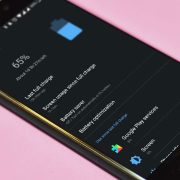
Android Battery Health Check: How to See How Worn Yours Is
 By
Your phone used to last all day. Now it needs a charger by lunch, shuts down at 20 percent, or drops suddenly when you open the camera. You wonder whether it is a software issue or simply an old battery. The tricky part is that Android does not always make battery health easy to find.
This guide shows you how to check your battery health on different Android phones, what the numbers mean, the warning signs of a worn battery, and how to decide between fixing, replacing or living with it. No special skills are needed.
What is battery health, exactly?
Every rechargeable phone battery loses capacity as it ages. A brand new battery holds its full rated capacity. After hundreds of charge cycles, it can hold noticeably less. Battery health is simply a measure of how much of the original capacity remains.
If your battery health is, for example, 80 percent, it means a full charge now gives you roughly 80 percent of the runtime you got when the phone was new. Heat, fast charging, deep drains and time all contribute to the wear.
Method 1: Check your phone’s built-in battery health tool
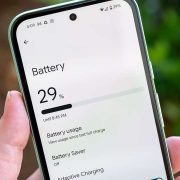
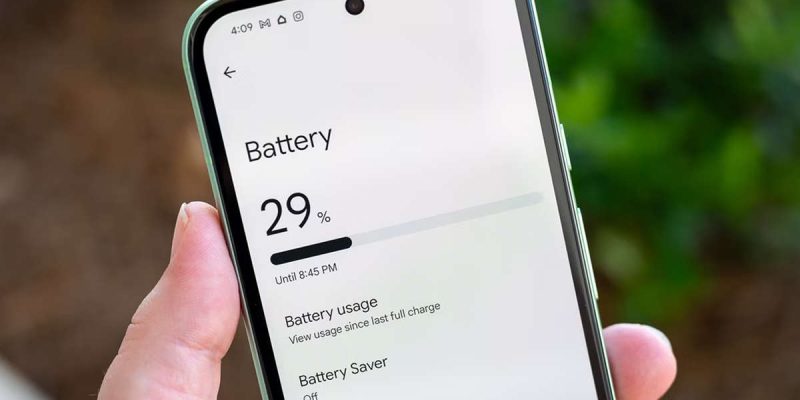
Some Android phones now show battery health directly. Look in Settings under Battery, or Battery and device care, for options such as Battery health, Battery information or Battery status. Recent Pixel and Samsung phones, among others, offer this in some form, though it depends on the model and software version.
What you see may be a percentage, or a simple label such as Good or Needs attention. If your phone shows a percentage, around 80 percent or above is usually still comfortable. Below that, you will probably feel the difference in daily use.
Method 2: Use the diagnostics menu or support app
Many manufacturers have a diagnostics tool. Samsung has the Samsung Members app, which includes a phone diagnostics test covering the battery. Other brands have similar apps, or you can look in the phone’s support section. These tools often tell you whether the battery is in good condition or should be checked.
Method 3: Use a dialer code, with caution
Some phones have a service menu that you can open by dialing a special code, and it may show battery information. These codes vary by brand and model, and not all are supported on newer phones. Only use codes listed on your manufacturer’s official support pages, and avoid anything that offers to reset or change settings.
Method 4: Try a trusted battery information app
If your phone has no built-in tool, a third-party battery app can estimate health from how the battery charges and discharges. These are often approximate, so treat the result as a hint rather than a verdict. Stick to well-reviewed apps from the official store, and be cautious of anything that asks for unusual permissions.
Method 5: Ask a service center for a test
This is the most reliable option. A repair shop or the manufacturer’s service center can test the battery with proper equipment and tell you its actual capacity. Many will do it quickly and often for free or at a low cost.
Warning signs that your battery is worn out
- The battery drains much faster than it used to, even with the same habits.
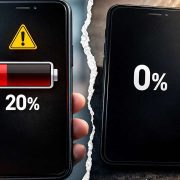
- The phone shuts down suddenly with 15 to 30 percent left.
- The percentage jumps around, such as dropping from 40 to 20 in minutes.
- The phone gets warm during light use or charging.
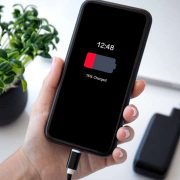
- It takes much longer to charge, or stops charging at odd points.
- The back of the phone bulges or the screen lifts.
If you see swelling, stop charging the phone and have it checked right away. A swollen battery can be dangerous.
How long does an Android battery last?
Most phone batteries are designed to keep a good share of their capacity for around 500 to 1,000 full charge cycles, which for most people is about two to three years. Careful habits can stretch that, while heavy use and heat shorten it. These numbers vary by phone, so treat them as general guidance.
Is it the battery or the software?
This is the key question. If your battery health looks fine but the drain is high, software is more likely the cause. Check which apps use the most power, update your system and apps, and restart the phone. If health looks poor and the phone shuts down early, the battery is the problem and no setting will fix that.
Should you replace the battery?
If your phone is otherwise working well, replacing the battery is often one of the best-value repairs. It can make a two or three-year-old phone feel almost new for a fraction of the cost of a new device. Use an authorized service center or a reputable repair shop, since poor quality batteries can be unsafe. If your phone is very old, no longer receiving updates, or has other problems, it may make more sense to upgrade.
How to slow down battery wear
- Keep the phone cool, and avoid leaving it in hot cars or in the sun.
- Avoid draining it to zero regularly.
- Use a battery protection or charge limit setting if your phone has one.
- Use quality chargers and cables.
- Do not game or stream heavily while charging.
What to expect from a battery replacement
If you decide to replace the battery, here is what to expect. The repair usually takes a short time at an authorized service center, and the cost is typically much lower than a new phone. Ask whether the new battery is an original or approved part, and whether the repair comes with a warranty. Back up your data first, just in case. After the replacement, the phone should last noticeably longer, and charging behavior should return to normal.
Be careful with very cheap batteries from unknown sellers. They may have lower real capacity, wear out quickly or, in the worst cases, pose a safety risk. A few extra dollars for a quality part is well worth it.
A realistic expectation about battery life
Even a perfectly healthy battery will not last forever, and phones today do more than ever. A bright high-refresh screen, 5G signal and heavy apps all use power. So before you decide your battery is worn out, compare your habits with how you used the phone when it was new. Sometimes the battery is fine, and the demands on it have simply grown.
Final thoughts
A worn battery is a normal part of owning a phone, and it does not mean your phone is finished. Check your battery health using the tools above, note the warning signs and decide whether a replacement makes sense. A little knowledge can save you from paying for a new phone you did not need.
Frequently asked questions
How can I check battery health on my Android phone?
Look in Settings under Battery for a health or information option, use the manufacturer’s diagnostics app, or ask a service center for a test.
What battery health percentage is considered bad?
Many people begin to notice problems below about 80 percent, though it depends on how you use the phone.
Is it worth replacing an old phone battery?
Often yes, if the rest of the phone is in good shape. It is usually far cheaper than a new phone.
Can software fix a worn-out battery?
No. Software can reduce unnecessary drain, but it cannot restore lost capacity in an old battery.
Views: 0

You may also like
Why Your Phone Loses 20 Percent Battery Just Sitting There
Android Battery Draining While Using Mobile Data: What to Do
Wireless Charging Not Working on Android? Easy Fixes That Work
More in:Gadgets
Is Your Android Battery Calibration Off? How to Fix Wrong Percentages
Why Your Android Phone Charges So Slowly and What Actually Fixes It

How to Use Your Phone to Learn About Nutrition Without Getting Confused

TecRounder is a blog that shares New Technology news from around the world (hence the name TecRounder), including the most recent mobile and gadget information: smartphone features, specifications, and more. You can find the latest technology updates here, including the most recent information on smartphones, laptop computers, and other electronic devices.