Why Your Phone Loses 20 Percent Battery Just Sitting There
 By
Why Your Phone Loses 20 Percent Battery Just Sitting There
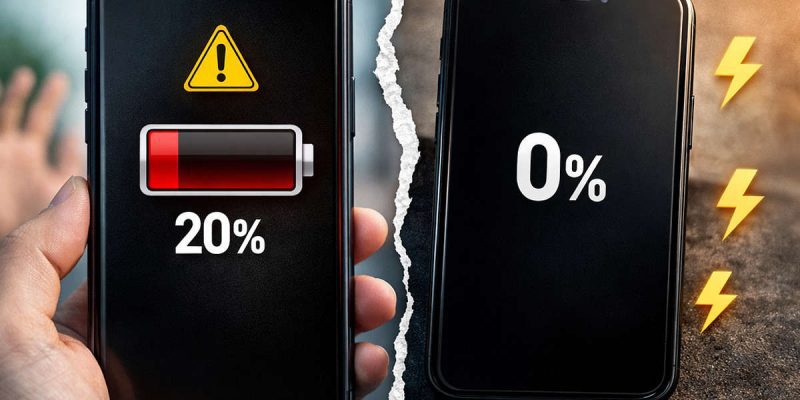
You put your phone down at night with 80 percent left. You did not touch it. In the morning it shows 55 percent, or worse. It makes no sense, and it is a little unsettling. What exactly was it doing while you slept?
The short answer is that phones are never fully asleep. Something is always running, syncing or listening. A small amount of drain is normal. But if you are losing 15 to 20 percent over a few hours of doing nothing, something is wrong. This guide helps you find out what, step by step, and fix it.
How much idle drain is normal?
A healthy phone sitting idle overnight on Wi-Fi may lose around 1 to 3 percent per hour or less, and often much less. Some of that depends on the phone and settings. If you are losing 5 percent an hour or more while it sits untouched, that is a sign of a problem worth fixing.
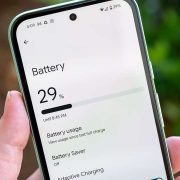
To test it, charge the phone fully, leave it alone for a couple of hours with the screen off, and note how much it drops. Then check the battery usage screen to see what used the power.
Cause 1: Apps running in the background
This is the most common cause. Apps that sync, refresh or track location can keep the phone busy all night. Social, email, messaging and shopping apps are common. A glitchy app can also get stuck in a loop and use power constantly.
Fix: open your battery usage and look for apps with high background activity. Restrict background use for apps you do not need running all the time, and turn off background refresh where possible.
Cause 2: Weak or unstable signal
When your phone has a poor mobile signal, it keeps searching for towers, which uses a lot of power. This is common in basements, bedrooms far from a window or rural areas. A phone that is hot in the morning with no clear reason is a sign this may be happening.
Fix: connect to Wi-Fi at night, turn on Wi-Fi calling if your carrier supports it, or use airplane mode while sleeping if you do not need calls.
Cause 3: Constant notifications and wake-ups
Every notification wakes the screen or the processor for a moment. If you are in many busy group chats and apps, that adds up. Even small wake-ups through the night can use more power than you expect.
Fix: use Do Not Disturb or a sleep schedule at night. Mute noisy groups and turn off notifications from apps that do not need them.
Cause 4: Location services and Bluetooth scanning
Always-on location, and background scanning for Wi-Fi and Bluetooth devices, can quietly drain power. Some apps check your location every few minutes.
Fix: go to location settings and set apps to While using the app, or turn off location access where you do not need it. Turn off Bluetooth when it is not in use, and check scanning options in your location settings.
Cause 5: Automatic updates and backups
Many phones are set to update apps, upload photos and back up data overnight, usually when connected to Wi-Fi. This is useful but can use a lot of power, particularly if you have many photos or if you are not on the charger.
Fix: schedule updates and backups for when the phone is charging, or reduce the frequency. If you want to keep things simple, plug the phone in at night.
Cause 6: Features that listen all the time
Voice assistants, always-on display, and features that detect gestures or sounds use small amounts of power continually. Alone they are minor, but together they add up.
Fix: turn off always-on display, hotword detection and similar features if you do not use them. Check your display and assistant settings.
Cause 7: A recent update or glitch
Sometimes a software update leaves a process running in the wrong way. If the idle drain began after an update, restart the phone and check for patches. Wait a day or two, since phones often optimize after updates.
Cause 8: A worn battery
If the battery is old, the percentage can drop unevenly, and the phone may seem to lose power at rest. Check your battery health using the phone’s tools or a service center. A replacement may be the real solution.
How to find the cause: a simple test
- Charge to 100 percent and restart the phone.
- Leave it alone, screen off, on Wi-Fi for two hours.
- Note how much battery was lost.
- Open the battery usage screen and see what used the power.
- Change one thing at a time, such as restricting an app or turning off location, and test again.
- If the drain is still high, try safe mode, which turns off third-party apps. If it improves, an app is responsible.
Quick settings that help most people
- Use Wi-Fi when you can, and avoid weak mobile signal.
- Turn on Do Not Disturb overnight.
- Restrict background activity for rarely used apps.
- Set location to only while using the app.
- Turn off always-on display if you do not need it.
- Keep the phone and apps up to date.
What to do if you cannot find the cause
Sometimes the problem is not obvious. If you have tried the steps above and the drain continues, try a short experiment. Turn on airplane mode for one night and see how much battery you lose. If the drain nearly disappears, the cause is connected to signal or network activity, such as a weak connection or an app that syncs constantly. If the drain stays high even in airplane mode, the problem is more likely software or the battery itself.
At that point, consider backing up your data and doing a factory reset, then adding apps back slowly. If the drain returns after reinstalling a certain app, you have found your culprit. If it does not go away even on a clean phone, the battery is probably worn out, and a replacement is the next step.
Why your phone feels warm in the morning
If the phone is warm when you wake up, and you have lost a lot of battery, that is a strong hint that the processor was busy all night. This is usually an app stuck in a loop, a heavy backup or a weak signal. It is worth checking, because heat also wears out the battery faster over time.
Final thoughts
Losing 20 percent while your phone sits there feels like a mystery, but it almost always has an explanation. Most of the time, it is a background app, a weak signal or a setting you can change in a few minutes. Test, adjust and watch what happens. Your battery should start behaving the way it should.
Frequently asked questions
Why does my phone lose battery when I am not using it?
Background apps, weak signal, notifications, location services and automatic updates can all use power while the phone is idle.
How much battery should a phone lose overnight?
Usually only a few percent. A drop of 15 to 20 percent suggests a problem.
Does airplane mode at night save battery?
Yes, it stops signal searching and network activity, which can reduce drain, especially with weak reception.
Could my battery be faulty?
Yes, if the drain continues with settings under control and the battery is old, have the health checked.
Views: 5

You may also like
Android Battery Health Check: How to See How Worn Yours Is
Android Battery Draining While Using Mobile Data: What to Do
Wireless Charging Not Working on Android? Easy Fixes That Work
More in:Gadgets
Is Your Android Battery Calibration Off? How to Fix Wrong Percentages

Why Your Android Phone Charges So Slowly and What Actually Fixes It

How to Use Your Phone to Learn About Nutrition Without Getting Confused

TecRounder is a blog that shares New Technology news from around the world (hence the name TecRounder), including the most recent mobile and gadget information: smartphone features, specifications, and more. You can find the latest technology updates here, including the most recent information on smartphones, laptop computers, and other electronic devices.