Android Phone Slow After Months of Use: Here Is the Real Reason
 By
When you first unboxed it, your phone felt like magic. Apps opened instantly, scrolling was silky, and the camera never hesitated. Now, a year or two later, it takes a moment to wake up, apps stutter, and you catch yourself wondering whether the company made it slow on purpose.
Here is a more reassuring and more honest explanation. Phones really do slow down over time, but the causes are mostly ordinary and understandable, and many of them are within your control. This guide explains what is actually happening and how to keep your phone feeling fresh for longer.
Reason 1: Your storage has filled up
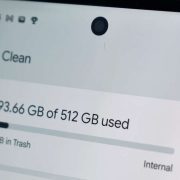
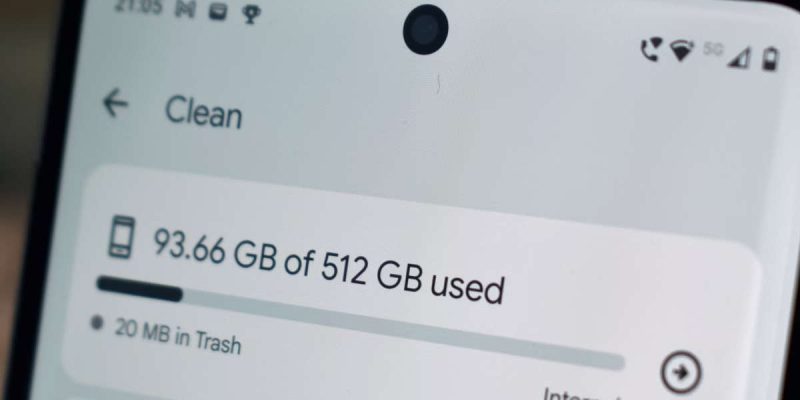
This is the biggest cause, and it creeps up quietly. Every month you add photos, videos, apps, downloads and messages. Apps also grow as they store more cache and data. After a year or two, the phone may have little free room left.
A phone with almost full storage has no space to breathe. It struggles to install updates, save temporary files and run apps smoothly. Keeping 10 to 15 percent of storage free makes a real difference.
Reason 2: Apps and updates get heavier
Apps rarely get lighter. Each update adds features, graphics and background services, and developers design them for newer, faster phones. An app that ran easily on your phone two years ago may now ask for more memory and processing power than your phone can comfortably give.
The same goes for the system itself. New Android versions add features that older hardware has to work harder to run. This is not a conspiracy. It is simply how software tends to grow.
Reason 3: Too many background processes
Over time, you install more apps, and many of them run services in the background. They check for updates, sync data and send notifications. All of it uses memory and processor time. After a year, a phone may be running many more background tasks than when it was new.
Reason 4: The battery has aged
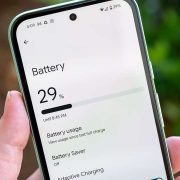
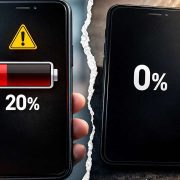
This one surprises people. A worn battery can cause performance problems. When a battery ages, it may not deliver power as smoothly, and some phones respond by limiting processor speed to avoid sudden shutdowns. The result is a phone that feels slow or lags under load.
If your phone is more than two years old, and you also notice poor battery life or unexpected shutdowns, a battery replacement can make a real difference.
Reason 5: Fragmented or corrupted data
After many app installs, updates and removals, leftover files and corrupted caches can build up. These can cause glitches, freezes and slowdowns that clear up after a cleanup or reset.
Reason 6: Heat and wear
Phones that regularly get hot, from gaming, charging or sunlight, tend to wear faster. Heat reduces battery health and can make the processor slow itself down to protect the hardware.
Reason 7: Unpatched software and missed updates
If you have turned off updates or ignored them for months, you may be missing bug fixes and performance improvements. While some updates can slow down very old phones, most include fixes that help.
Reason 8: Hardware limits
Some phones, especially budget models, were not very powerful to begin with. Low memory and slower storage make them feel fine at first, but as apps grow, they struggle. No cleanup can turn a basic processor into a fast one.
Is the manufacturer making my phone slow on purpose?
This is a common worry. In rare, well-known cases, companies have limited performance to protect aging batteries, and they were criticized for not being open about it. For the most part, though, slowdown comes from the reasons listed above: full storage, heavier software and aging parts. You do not need to assume bad intent to explain what you are seeing.
What you can do about it
- Free up storage, and keep at least 10 to 15 percent empty.
- Uninstall apps you do not use, and restrict background activity for others.
- Clear the cache of slow or heavy apps.
- Install pending system and app updates.
- Restart your phone at least once a week.
- Check battery health, and replace the battery if it is worn.
- Use lighter versions of heavy apps, such as lite versions or the web.
- As a last step, back up and do a factory reset, then reinstall apps slowly.
Habits that keep a phone fast for longer
- Back up photos to the cloud and clear space regularly.
- Avoid installing apps you will not use.
- Keep the phone cool, and avoid charging it in hot places.
- Use a quality charger and cable.
- Avoid cleaner and booster apps, which often do more harm than good.
- Review your apps and settings every few months.
When it is time to replace the phone
If your phone no longer gets security updates, is slow even after a reset and new battery, or cannot run the apps you need, it may be time to upgrade. A phone is a tool, and tools wear out. But do not rush. Many phones can be revived with a few of the steps above, which saves money and reduces waste.
A simple monthly checkup
Treat your phone like a car that needs the occasional tune-up. Once a month, spend ten minutes going through a short list. Check storage and delete anything you do not need. Look at your battery usage for any app that seems out of place. Update your apps and system. Restart the phone. These small habits stop slowness from building up, and make a bigger cleanup far less likely to be needed later.
What to do when only one app is slow
If most things feel fine but one app drags, the app is the problem, not the phone. Clear its cache, update it, or switch to its lighter version. Sometimes an app grows too heavy for an older phone, and an alternative is the better answer. Do not blame the whole phone for one app’s poor behavior.
Why new phones feel so fast
A new phone has an empty storage drive, fresh software, a healthy battery and no history. Everything is at its best, so the contrast with your older phone feels dramatic. Part of that gap is real hardware progress, but a good part is simply the absence of clutter. That is why a tidy, well-kept older phone can feel much closer to new than you might expect.
Final thoughts
Your phone is not secretly broken, and you are not imagining the slowdown. Storage fills up, apps grow, batteries age and hardware has limits. The encouraging part is that you can fix or soften most of those things. Give your phone a good cleanup, and it may feel closer to the day you unboxed it.
Frequently asked questions
Why does my Android phone get slower over time?
Usually because storage fills up, apps and updates become heavier, background tasks pile up and the battery wears out.
Do updates make phones slower?
Sometimes on older hardware, but most updates include fixes. Keep your phone updated for security reasons.
Will a new battery make my phone faster?
It can, if the slowdown is due to a worn battery limiting performance.
How long should an Android phone stay fast?
Many stay smooth for two to three years with good care, and longer for higher-end models.
Views: 4

You may also like
Android Screen Lag and Touch Delay: Causes and Quick Fixes
Android Battery Health Check: How to See How Worn Yours Is
Why Your Phone Loses 20 Percent Battery Just Sitting There
More in:Gadgets
Android Battery Draining While Using Mobile Data: What to Do
Wireless Charging Not Working on Android? Easy Fixes That Work
Is Your Android Battery Calibration Off? How to Fix Wrong Percentages

TecRounder is a blog that shares New Technology news from around the world (hence the name TecRounder), including the most recent mobile and gadget information: smartphone features, specifications, and more. You can find the latest technology updates here, including the most recent information on smartphones, laptop computers, and other electronic devices.