Dark Mode and Battery Life: How Much Does It Really Save
 By TecRounder
Open almost any tech forum and you will find someone swearing that dark mode doubles their battery life. Open another and someone insists it does absolutely nothing. Both camps sound confident, which makes it hard to know what to believe when you just want your phone to last until evening.
The truth sits in the middle, and it depends heavily on one thing: the type of screen your phone has. This guide explains how dark mode really affects battery life, how much you can realistically expect to save, and when it is worth switching on.
What dark mode actually does
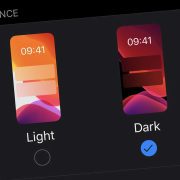
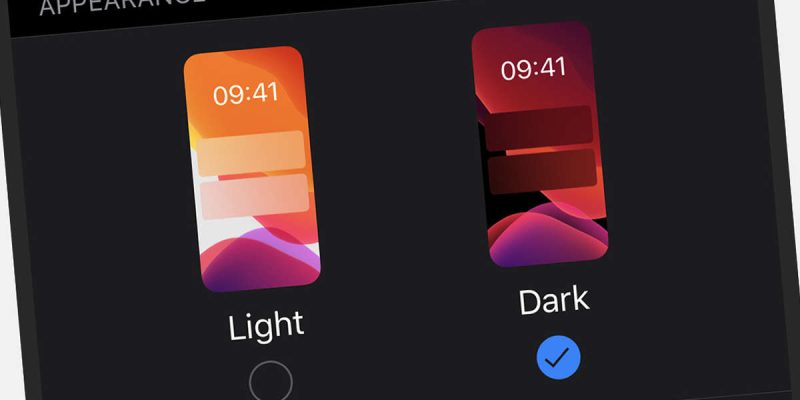
Dark mode swaps the bright white backgrounds in your apps and system menus for dark grey or black ones, with light text on top. It started as a comfort feature, since it is easier on the eyes in dim rooms. Battery savings came as a bonus, but only on certain screens.
The key difference: OLED versus LCD screens
Phone screens come in two main types, and they handle light very differently.
On an LCD screen, a backlight shines through the whole panel all the time. Whether a pixel shows white or black, the backlight is still on. So changing the colors on screen does almost nothing for power use. Dark mode on an LCD phone is mostly a style and comfort choice.
On an OLED or AMOLED screen, every pixel makes its own light. When a pixel is black, it is switched off completely and uses almost no power. That is why dark mode can save real battery on these screens. Most mid-range and flagship Android phones sold in the last several years use OLED panels, but many budget phones still use LCD. You can check your phone’s specifications on the manufacturer’s website to be sure.
How much battery does dark mode really save?
On an OLED phone, savings depend on how bright your screen is and how much of the display is actually dark. Several independent tests over the years have found noticeable savings at high brightness, and much smaller savings at low or medium brightness. At lower brightness levels, the screen uses less power anyway, so the difference shrinks.
As a rough guide, many people see a modest gain, such as a few percent over a day of normal use, though your results will vary with your habits. If you spend hours in apps with mostly white screens, such as email, messaging or web browsing, the gain can be more noticeable. If you mostly watch videos, which are already dark in many scenes, dark mode adds little.
It is not a miracle, and it will not rescue a worn-out battery. But it is a free, easy change that helps a little, especially for heavy daily use.
True black versus dark grey
Not all dark modes are equal. Some apps use pure black backgrounds, which turn pixels fully off on OLED. Others use dark grey, which keeps pixels lit at a low level. Pure black saves more power. Some phones let you pick between them, or offer an extra black option in display settings. If your goal is battery life, look for the deepest dark option.
Other benefits of dark mode
- Less glare in dim rooms, which many people find more comfortable.
- Reduced eye strain for some people during long evening sessions.
- A cleaner look in apps that support it well.
These benefits are personal, and research on eye strain is mixed. Some people find dark text on a light background easier to read, especially in bright places. Dark mode is a preference, not a health requirement.
When dark mode is not the best choice
In bright sunlight, dark mode can be harder to read, and you may end up raising the brightness, which cancels out the savings. Some websites and apps also handle dark mode poorly, with low contrast text that is hard to see. If you notice that you are squinting, switch back to light for that situation.
How to turn on dark mode on Android
On most Android phones, open Settings, then Display, and look for Dark theme or Dark mode. You can turn it on permanently, or set a schedule so it switches on at sunset and off at sunrise. Some phones also add a quick settings tile for fast toggling. Many apps follow the system setting, but a few have their own dark mode switch in their settings.
Bigger battery savers than dark mode
If you want to make a real dent in battery use, dark mode should be one small piece of a bigger picture. Screen brightness and screen time are usually the biggest drains, so these matter more.
- Lower the brightness or use adaptive brightness.
- Shorten your screen timeout to 30 seconds or one minute.
- Use a standard refresh rate instead of the highest one, if your phone offers a choice.
- Turn off always-on display if you do not need it.
- Use Wi-Fi where possible, since weak mobile signal uses extra power.
Combine these with dark mode on an OLED screen, and the savings add up.
A simple way to test it yourself
Want to know what dark mode does on your own phone? Pick two similar days. On the first, use light mode and note how much battery you have at the end. On the next day, use dark mode with similar habits and compare. It is not a perfect scientific test, but it gives you a sense of what works for you.
Dark mode and screen burn-in
You may have heard that dark mode can cause burn-in on OLED screens, where a faint ghost of a static image stays visible. This is possible on any OLED display if the same bright element stays in the same place for a very long time. Modern phones use software tricks to shift elements slightly and reduce the risk, and for everyday use it is rarely a concern. Dark mode actually lowers the load on bright pixels, so it is generally gentle on the screen.
Does dark mode help with sleep?
Many people use dark mode at night because it feels softer on the eyes, and it reduces the amount of bright light hitting your face. That is a comfort benefit. For sleep, the larger factors are screen time before bed and overall brightness, so pair dark mode with lower brightness and a night light or blue light filter if you scroll before sleeping.
Final thoughts
Dark mode is a nice feature, and on OLED screens it can give you a small, genuine battery boost. On LCD screens, it is mainly about looks and comfort. Use it because you like it, not because you expect a dramatic change, and pair it with smarter brightness and screen settings for the best result.
Frequently asked questions
Does dark mode save battery on all Android phones?
No. It helps mainly on OLED and AMOLED screens. On LCD screens, the savings are very small.
How do I know if my phone has an OLED screen?
Check the specifications on the manufacturer’s site. Look for OLED, AMOLED or Super AMOLED in the display details.
Is dark mode better for your eyes?
It can be more comfortable in low light, but it is not proven to be healthier. Choose what feels best for you.
Should I use dark mode all the time?
It is fine to use it constantly if you like it. Some people prefer light mode in bright sunlight for readability.
Views: 0

You may also like
Android Storage Almost Full? What to Delete First
Android Screen Lag and Touch Delay: Causes and Quick Fixes
Android Phone Slow After Months of Use: Here Is the Real Reason
More in:Gadgets
Android Battery Health Check: How to See How Worn Yours Is
Why Your Phone Loses 20 Percent Battery Just Sitting There
Android Battery Draining While Using Mobile Data: What to Do

TecRounder is a blog that shares New Technology news from around the world (hence the name TecRounder), including the most recent mobile and gadget information: smartphone features, specifications, and more. You can find the latest technology updates here, including the most recent information on smartphones, laptop computers, and other electronic devices.