How to Manage Your Subscriptions and Stop Getting Charged for Apps You Forgot About
 By
By The app subscription economy is designed to be forgettable. Free trial, one-tap signup, automatic renewal. Apps bank on the fact that $4.99 or $9.99 a month isn’t enough to notice individually, but you’re not paying for one subscription — you’re probably paying for eight to fifteen of them, spread across monthly and annual billing cycles, some billed through your phone and some directly through the app.
The average person pays for at least three subscriptions they’ve completely forgotten about. Here’s how to find them all and decide what to keep.
Where to Find Subscriptions Billed Through Your Phone
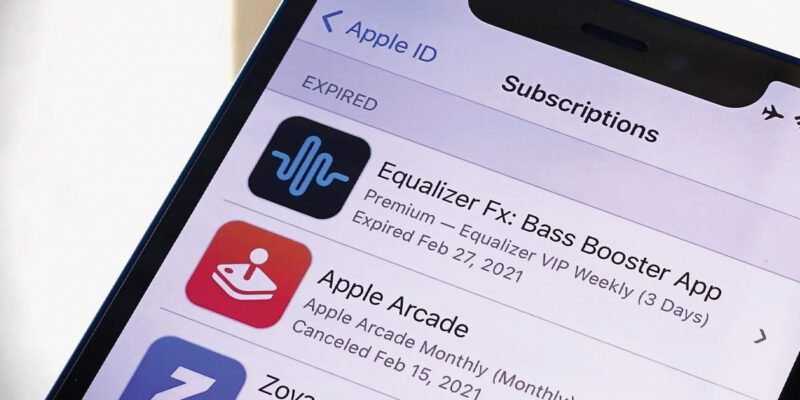
On iPhone: Settings > [Your Name] > Subscriptions. This shows every active subscription billed through the App Store and lets you manage or cancel them directly from this screen.
On Android (Google Play): Open Google Play > Tap your profile picture > Payments & Subscriptions > Subscriptions. This shows all Google Play Store subscriptions.
These lists only show subscriptions billed through the respective stores. Apps that bill you directly through their own payment systems — like Netflix, Spotify, and many SaaS tools — won’t appear here.
Finding Subscriptions Outside the App Stores
The most reliable way to find all subscriptions regardless of how they’re billed is through your payment methods:
Check your bank and credit card statements and search for monthly recurring charges. Sort by amount and look for anything that repeats in roughly the same amount each month. Things like $4.99, $9.99, $14.99, $19.99 in round figures are often subscriptions.
Some banks have a subscription tracking feature built into their app — Chase, Bank of America, and many UK banks (Monzo, Starling) automatically identify and categorize recurring payments.
You can also use apps specifically designed to track subscriptions: Rocket Money (US), Truebill, or YNAB will connect to your accounts and identify all recurring charges.
Evaluating What to Keep
For each subscription you find, ask three questions: 1. Have I used this in the last 30 days? 2. If I cancelled, would I notice its absence? 3. Is the price proportionate to the value I get?
If the answer to either of the first two is no, cancel it. If the price feels high relative to what you actually use it for, either use it more deliberately or cancel it.
Annual subscriptions are easy to forget about because they only appear once a year. Look specifically for annual charges — they’re often the biggest forgotten expenditures.
Cancelling Without the Runaround
Some subscriptions make cancellation deliberately difficult — burying the option in menus, requiring you to call, or presenting multiple retention offers before letting you through. A few tips:
For App Store or Google Play subscriptions: cancel from the subscription management pages mentioned above — this works even if the app itself doesn’t make it easy.
For directly billed subscriptions: cancellation is usually in your account settings on the service’s website, not in the app. Try logging into the web version if the app doesn’t show cancellation options clearly.
If you’re getting the runaround, contacting your bank or credit card to block the specific merchant as a last resort — though this is less clean than a proper cancellation.
Setting a Quarterly Review Reminder
The ideal long-term habit is a quarterly subscription audit — 30 minutes every three months to review what you’re paying for. Things change: you sign up for a trial, intend to cancel, don’t. A service you used heavily for six months and then stopped. A family sharing plan that no longer serves the same family.
Put a reminder in your calendar. The 30 minutes of review typically identifies $10–30 per month of subscriptions you can cancel, which is $120–360 a year. Better in your pocket than in the pockets of apps you forgot you subscribed to.
Views: 50

You may also like

How to Use Your Phone to Learn About Nutrition Without Getting Confused

How to Use Your Phone to Document and Share Your Creative Work

How to Use Your Phone to Prepare for a Job Interview
More in:Apps

How to Use Your Phone to Build Better Habits That Actually Stick

How to Use Your Phone to Help You Through a Difficult Life Transition

How to Use Your Phone for Better, More Meaningful Travel Experiences

TecRounder is a blog that shares New Technology news from around the world (hence the name TecRounder), including the most recent mobile and gadget information: smartphone features, specifications, and more. You can find the latest technology updates here, including the most recent information on smartphones, laptop computers, and other electronic devices.