
 By
By AI can write emails in seconds, which sounds great until you read the result — stiff, overly formal, peppered with phrases like ‘I hope this email finds you well’ and ‘please do not hesitate to reach out.’ The problem isn’t AI, it’s the prompt. Here’s how to get emails that sound like a real person wrote them.
Give It Your Voice, Not Just the Topic
The biggest mistake people make is asking AI to ‘write an email about X.’ Instead, describe your personality and communication style: ‘Write this in a direct, professional tone — no fluff, no corporate speak. I write short emails and prefer bullet points over paragraphs.’ The more personality direction you give, the more the output sounds like you rather than a generic office memo.
Provide the Context the AI Doesn’t Have
AI doesn’t know your relationship with the recipient, the history of the situation, or the specific nuance you’re navigating. Include this: ‘This is a follow-up to a meeting where we disagreed — I want to acknowledge their point while still making my case, and keep the tone warm.’ Context this specific produces output that generic prompts never could.
Use It for Drafts, Not Finals
Treat AI output as a first draft you edit, not a finished email you send. Read it out loud — does it sound like something you’d actually say? Change any phrase that sounds off. Add a specific detail or inside reference that personalizes it. Remove the filler sentences. Five minutes of editing turns a mediocre AI draft into a good email.
Ask for Multiple Approaches
For difficult emails — complaints, negotiations, difficult feedback — ask the AI to give you three different versions: direct, diplomatic, and conciliatory. Reading all three helps you find the approach and specific phrases that feel right. You might use sentences from each version combined into one email that matches exactly what you want to say.
Handling Sensitive Situations
For apologies, rejection letters, or difficult news, give the AI the full emotional context: ‘I’m rejecting someone who really wanted this opportunity and I want to be kind but clear, without leaving room for negotiation.’ Emotional context matters as much as factual context for these types of emails.
Use AI to Improve Emails You’ve Already Written
Paste your own draft and ask: ‘What’s unclear about this? What might the reader misinterpret? How would you improve it without changing my voice?’ This gets AI working as an editor rather than a writer — it spots things you’re too close to your own writing to see. Often more useful than AI drafting from scratch.
Subject Lines Are Where AI Often Shines
Writing a good email subject line is deceptively hard. Ask AI to generate ten options for a given email — from functional to compelling — and pick the one that fits. The volume of options makes it much easier to find a good one than staring at a blank subject field trying to think of something yourself.
Views: 48

You may also like

How to Use Your Phone to Learn About Nutrition Without Getting Confused

How to Use Your Phone to Document and Share Your Creative Work

How to Use Your Phone to Prepare for a Job Interview
More in:Apps
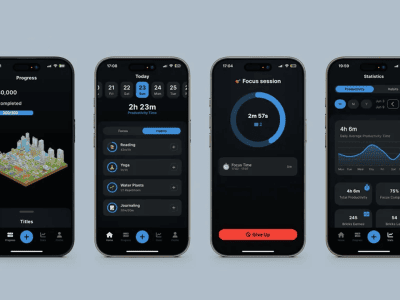
How to Use Your Phone to Build Better Habits That Actually Stick

How to Use Your Phone to Help You Through a Difficult Life Transition

How to Use Your Phone for Better, More Meaningful Travel Experiences

TecRounder is a blog that shares New Technology news from around the world (hence the name TecRounder), including the most recent mobile and gadget information: smartphone features, specifications, and more. You can find the latest technology updates here, including the most recent information on smartphones, laptop computers, and other electronic devices.