How to Use Your Phone to Actually Stick to a Budget
 By
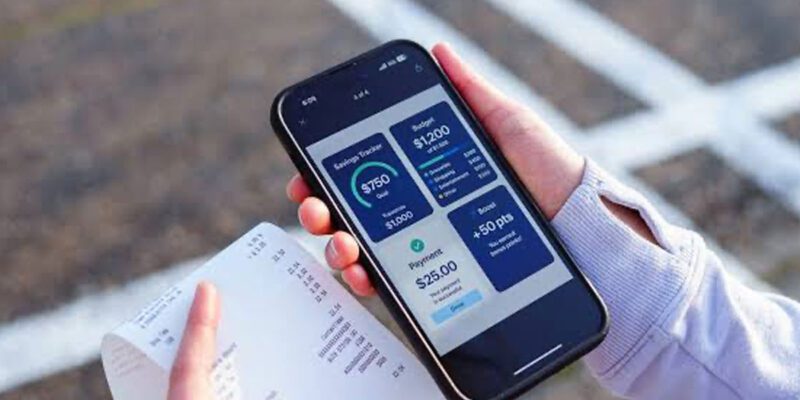
By Most people who download a budgeting app use it for two weeks and then forget about it. The app wasn’t the problem. The system they set up was. Budgeting with your phone works when it’s frictionless enough to become a habit — and fails when it requires constant manual effort that gradually feels like too much work.
Here’s a setup that actually sticks.
The Right Way to Think About Phone Budgeting
A budgeting app isn’t a replacement for thinking about your money. It’s a tool that makes the thinking easier. The goal isn’t perfect tracking of every penny — that level of detail burns people out. The goal is awareness: knowing roughly how much you’re spending in each area, catching problem patterns early, and making deliberate decisions instead of vague ones.
With that framing, let’s talk about setup.
Choosing the Right App
YNAB (You Need a Budget) is the most effective budgeting system available on phones, but it has a subscription cost ($14/month or $99/year) and a learning curve. If you’re serious about getting control of your money, it’s worth both. The core concept — giving every pound or dollar a job before you spend it — is genuinely different from tracking spending after the fact.
Monarch Money is a strong alternative that connects directly to your bank accounts, categorises transactions automatically, and shows you where you are relative to your goals. Less teaching required, more automation.
Emma (popular in the UK) and Copilot (US-focused) both do excellent automatic bank connection and categorisation.
For those who want free and simple: a Google Sheets template shared from your phone is genuinely effective if you review it weekly and keep it simple.
The Setup That Leads to Actually Using It
Connect your bank accounts if the app supports it. Manual transaction entry is the main reason people abandon budgeting apps — when every coffee requires a data entry step, the friction eventually wins. Automatic import removes this friction entirely.
Set up categories that match your actual life, not a generic template. “Groceries,” “Eating Out,” “Transport,” “Bills,” and “Everything Else” works better for most people than 25 categories they’ll never remember.
Set realistic budget amounts based on your last three months of actual spending — not aspirational numbers. A budget based on what you wish you spent gets abandoned. A budget based on what you actually spend gets refined.
The Weekly Review Habit
Budgeting apps are most useful when you look at them proactively, not just reactively after overspending. Set a 10-minute weekly appointment with yourself — Sunday evening works for many people. Open the app, see where you are in the month relative to each category, and make any adjustments needed.
This weekly check-in is the habit that changes behaviour. Without it, the app is just a record of what happened. With it, you’re steering in real time.
Using Notifications Wisely
Most budgeting apps can send you alerts when you’re approaching a category limit. Enable these for the categories where you tend to overspend — eating out, shopping, entertainment. A notification that says “you’ve spent 80% of your eating out budget with 12 days left in the month” is actionable information that changes decisions.
Don’t enable alerts for every category. Notification overload leads to ignoring all of them.
The Mindset Shift That Makes It Work
The most powerful thing a phone budget does is remove the psychological comfort of not knowing. Many people avoid looking at their finances because the unknown feels better than the known. The moment you see the numbers clearly, they stop being scary in the way the imagination makes them. You deal with what’s real rather than avoiding what you fear.
This clarity is uncomfortable for the first few weeks. After that, most people find it oddly reassuring — you know exactly where you stand, and that knowledge is more empowering than the vague anxiety of not knowing.
Views: 21

You may also like

How to Use Your Phone to Stay Financially Organised During a Life Event

How to Use Your Phone to Stay Motivated When You Feel Like Giving Up

How to Use Your Phone to Get More From Your Doctor’s Appointments
More in:Gadgets
How to Use Your Phone to Create and Stick to a Weekly Meal Plan

How to Use Your Phone to Research and Buy a Used Car Safely
How to Use Your Phone to Stay Safe and Informed During Bad Weather

TecRounder is a blog that shares New Technology news from around the world (hence the name TecRounder), including the most recent mobile and gadget information: smartphone features, specifications, and more. You can find the latest technology updates here, including the most recent information on smartphones, laptop computers, and other electronic devices.