How to Use Your Phone to Manage Your Pet’s Health Records and Vet Visits
 By
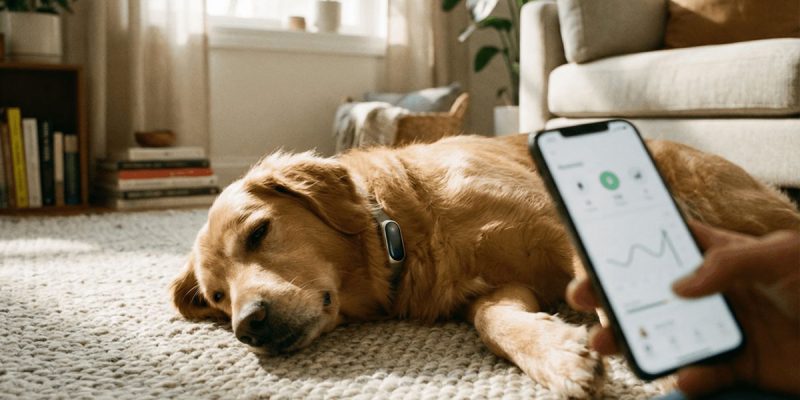
By Pet owners often struggle to remember vaccination due dates, medication schedules, when the last vet visit was, or what the vet said two visits ago. The consequences range from missed preventive care to dangerous medication errors. Keeping your pet’s health records organised on your phone solves all of this and takes less time to set up than a single vet visit.
What to Keep Track Of
A complete pet health record includes: vaccination history and due dates, medication names, doses, and schedules, vet visit history with notes on what was discussed, weight over time (useful for detecting health changes early), diet and any food allergies or sensitivities, pet insurance policy details and claim history, and microchip number.
This sounds extensive but can be set up in 20-30 minutes by gathering existing documents and entering key information.
Dedicated Pet Health Apps
PetDesk connects to your vet’s system in many cases, allows appointment booking, sends vaccination reminders, and stores basic health records. Widely used in the US.
VetCaboodle (UK-focused) provides a digital health record for pets with vaccination reminders and the ability to share records with your vet or a pet sitter.
Rover and similar apps for pet sitters often include health record sections used when leaving your pet with others.
For straightforward record-keeping without specific apps: a note in your phone’s standard notes app with a section per pet containing the key information is completely adequate and portable to any device.
Vaccination and Medication Reminders
The most practically important feature: set recurring reminders for vaccinations due annually or three-yearly, monthly flea, tick, and worming treatments, and any daily or twice-daily medications.
Calendar reminders set far enough in advance (two weeks before a vaccination is due) give you time to book the vet appointment before it lapses. This is especially important for dogs and cats on regular preventive treatments — missing a month of flea treatment has consequences.
Taking Notes After Vet Visits
Vet consultations happen quickly and contain more information than most people retain. Immediately after leaving the vet, dictate or type a brief note: what the vet said, any concerns raised, what to watch for, what follow-up is recommended, when to return.
Some pet owners ask vets to email a summary — this is increasingly offered and worth requesting. But your own notes taken while still in the car park are more reliable than memory an hour later.
Photos as Health Documentation
Photograph any lumps, rashes, swellings, or changes in appearance when you notice them, with the date. These photos serve two purposes: tracking whether something is changing over time, and being able to show the vet what you observed even if the symptom isn’t visible during the appointment. “My dog had a swollen eye three days ago” is much more informative with a photo.
For Multiple Pets
With multiple pets, organisation becomes significantly more important — it’s easy to mix up who received what treatment when. Create a separate note or folder per pet, clearly labelled. Consider colour-coding your calendar reminders by pet (red for one, blue for another).
Sharing Records When Needed
When boarding a pet, visiting an emergency vet, or handing over care to a family member, having records easily shareable from your phone is genuinely useful. A screenshot or PDF of the key record shared via WhatsApp or email ensures the person caring for your pet has the information they need.
Pet sitters specifically benefit from knowing: current medications, food brand and amount, any health conditions affecting care, vet contact details, and whether pet insurance is in place (and the policy number if so).
Views: 0

You may also like
How to Use Your Phone to Learn Basic First Aid You Might Actually Need

How to Use Your Phone to Create a Morning Routine That Actually Works

How to Handle Phone Anxiety and the Constant Pressure to Be Available
More in:Gadgets
How to Use Your Phone to Plan and Track Your Garden or Allotment

How to Stop Your Kids From Spending Money on Your Phone by Accident

How to Use Your Phone to Manage Your Time When You Work From Home

TecRounder is a blog that shares New Technology news from around the world (hence the name TecRounder), including the most recent mobile and gadget information: smartphone features, specifications, and more. You can find the latest technology updates here, including the most recent information on smartphones, laptop computers, and other electronic devices.