 By
By There’s a reason apps ask for your location constantly. Your location data is valuable — it tells advertisers where you shop, where you eat, what neighbourhoods you move through, and what your daily routines look like. That information gets sold, shared, and analyzed in ways most people would find uncomfortable if they knew about it.
The app doesn’t really need to know where you are to function. It just wants to know.
Here’s how to take back meaningful control.
Understanding the Different Permission Types
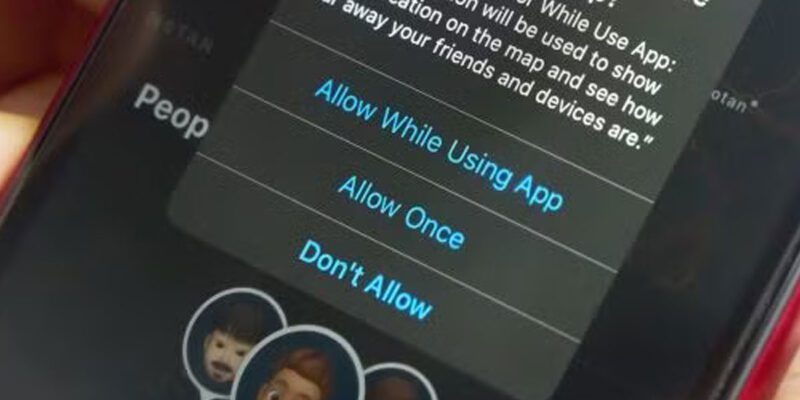
Both Android and iPhone offer three levels of location permission: Always, While Using the App, and Never. The critical one to understand is “Always” — this means the app can access your location even when it’s not open on your screen, running silently in the background. Very few apps actually need this.
“While Using” is generally the right setting for most apps that need location at all. They can access your location when you’re actively using them, but the permission expires when you close the app.
“Never” means no location access at all. More apps can function without location than you might expect.
On iPhone: The Location Audit
Go to Settings > Privacy & Security > Location Services. You’ll see a list of every app on your phone and its current location permission. Work through this list with an honest eye.
Maps and navigation apps: “While Using” is appropriate. You need location while navigating.
Delivery apps: “While Using” is enough. You need your location when you’re placing an order, not at 2am when you’re asleep.
Weather apps: “While Using” or a manual location setting. The weather in your home city doesn’t require tracking your actual movement.
Social media apps: the honest answer is “Never” for most of them. Instagram doesn’t need to know where you are. Twitter doesn’t need to know where you are. They want location data for advertising purposes, not for anything that benefits you.
Shopping apps: “Never.” They want your location to target local advertising and understand your shopping patterns.
Fitness apps that track routes: “While Using” when you’re actively exercising.
On Android: Per-App and System-Level Controls
Go to Settings > Location > App Permissions. The layout is similar — you can see every app and its current setting and change them individually.
Android also has a useful tool called Location Accuracy under Settings > Location > Location Services. This controls whether your phone uses GPS, Wi-Fi networks, and cellular towers together for location, or just GPS. Wi-Fi and Bluetooth scanning in particular can be used by apps to infer your location even without GPS permission, so disabling those in the location accuracy settings adds another layer of control.
The “Precise” vs “Approximate” Location Setting
Both Android 12+ and iOS 14+ allow you to grant apps “approximate” location rather than precise GPS coordinates. Approximate location gives the app a rough sense of your area (city-level) rather than your specific address. For most apps that have any legitimate reason to know your location, approximate is more than enough.
In iPhone location settings, when you tap an app, you’ll see an option to toggle “Precise Location” on or off. Turning it off for most apps is a reasonable middle ground — they get enough to function, you give away less.
Dealing With Apps That Won’t Work Without Location
Some apps genuinely won’t work without location access. Food delivery apps need your delivery address. Navigation apps need to know where you are. Some service apps need location to connect you with nearby providers.
For these, “While Using” is the right setting. And if an app requires “Always” access to function at all, that’s worth questioning. What is it doing with your location when you’re not using it?
If an app demands “Always” permission as a condition of use, decide whether the app is worth the privacy tradeoff. Usually there’s an alternative that doesn’t require constant location tracking.
Views: 107

You may also like

How to Stop Your Kids From Spending Money on Your Phone by Accident

How to Use Your Phone to Manage Your Time When You Work From Home
How to Use Your Phone Camera to Spot Things You’d Otherwise Miss
More in:Apps

How to Use Your Phone to Build Better Habits That Actually Stick

How to Use Your Phone to Help You Through a Difficult Life Transition

How to Use Your Phone to Manage Your Mental Load and Stop Forgetting Things

TecRounder is a blog that shares New Technology news from around the world (hence the name TecRounder), including the most recent mobile and gadget information: smartphone features, specifications, and more. You can find the latest technology updates here, including the most recent information on smartphones, laptop computers, and other electronic devices.