My Phone Died and Won’t Charge — Here’s What Actually Fixed It
 By
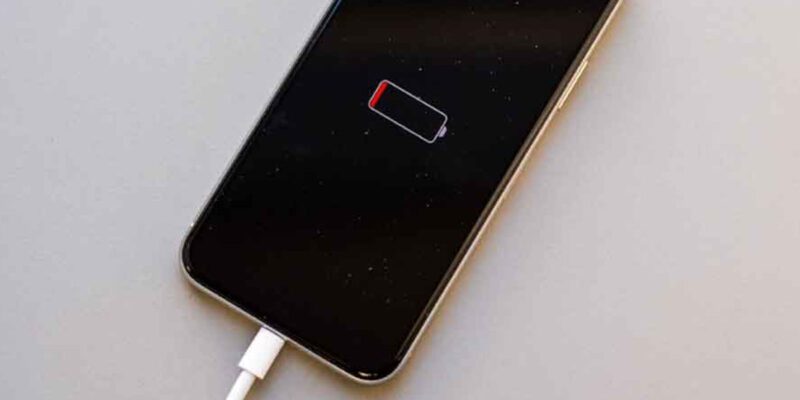
By There’s a specific kind of panic that comes from plugging in a dead phone and watching absolutely nothing happen. No charging animation, no light, no vibration. Just silence. Before you convince yourself the phone is completely ruined, slow down. In most cases, this is fixable — and the fix is usually simpler than you’d expect.
The First Thing You Should Actually Try
Don’t reach for a different charger yet. First, hold down the power button for a full 30 seconds. Not a quick press — a solid, patient hold. Some phones with completely discharged batteries enter a kind of frozen state where the software has crashed but the hardware is fine. A long press forces a hardware reset that bypasses the frozen software entirely. About one in five “dead phone won’t charge” situations resolves right there.
If that does nothing, connect the charger and wait. Not five minutes — wait twenty. A battery that’s been fully discharged for a long time needs a trickle of power before it can even light up the screen. During this phase the phone looks exactly like it’s not charging, but it actually is. Put it on the charger, set a timer for twenty minutes, and walk away.
Check the Charging Port — Seriously Look Inside It
Get a flashlight and look inside your charging port. You’ll often see what looks like a small gray or dark plug of lint sitting at the bottom. This lint compresses over time from repeatedly pushing in the charging cable, and it eventually prevents the cable from making proper contact with the pins.
Don’t use a metal pin or needle to clean it out — you’ll damage the contacts. Use a wooden toothpick or a dental pick and very gently work the debris loose. Most people are surprised how much comes out. After cleaning, try the charger again. This fixes the problem embarrassingly often.
Test With a Different Cable First, Then a Different Adapter
Cables fail more often than chargers, and they fail in ways that aren’t visible. A cable can look perfectly fine on the outside while having a broken wire inside, usually near one of the connectors where the cable bends repeatedly. Test with a cable you know is working — borrow one if needed.
If a different cable doesn’t help, try a different wall adapter. Some adapters stop delivering full power without any visible sign of failure. Use a wall outlet directly rather than a USB hub or computer port, which deliver less power and sometimes can’t charge a fully depleted battery at all.
Try Wireless Charging If Your Phone Supports It
If your phone has wireless charging and you have a wireless pad, try that. Sometimes the wired charging port has a fault while the wireless charging circuit is completely fine. If wireless charging works, you know the battery is okay and the issue is with the wired port — which is a repair, but a manageable one.
The Rice Myth (And What to Do Instead If Water Is Involved)
If your phone got wet before it died, please skip the rice trick. Rice does absolutely nothing meaningful for water-damaged electronics. What it does do is leave starch dust inside your phone. If water exposure is the cause, place the phone port-down on a dry cloth in a warm room and leave it for 48 hours. Do not try to charge it until it’s had time to dry. Trying to charge a wet phone causes short circuits that cause permanent damage.
When Soft Fixes Don’t Work
If you’ve cleaned the port, tried multiple cables and adapters, waited overnight, and still nothing happens, there are a few possibilities. The battery may have been so deeply discharged that it’s no longer accepting charge — this happens to batteries left uncharged for months. A repair shop can test and replace the battery.
The charging port itself may be physically damaged — bent pins or a cracked connector. This is a soldering job but it’s common and usually costs $30–60 at a repair shop.
Less commonly, the power management IC (a chip on the motherboard) has failed. This is more expensive to fix and sometimes makes a phone uneconomical to repair. But before assuming the worst, get the basic diagnostics done first. Most dead-phone-won’t-charge situations have a simple cause.
Preventing This in the Future
Don’t let your phone sit at 0% for extended periods. Lithium batteries don’t like being fully discharged and kept that way. If you’re putting a phone in a drawer for months, charge it to around 50% first. Keep your charging port clear of pocket lint with occasional cleaning. And use a quality charger — the cheap unbranded ones can actually prevent charging in certain situations by delivering inconsistent voltage.
Views: 85

You may also like

How to Use Your Phone to Learn Basic First Aid You Might Actually Need

How to Use Your Phone to Create a Morning Routine That Actually Works

How to Handle Phone Anxiety and the Constant Pressure to Be Available
More in:Gadgets

How to Use Your Phone to Plan and Track Your Garden or Allotment

How to Stop Your Kids From Spending Money on Your Phone by Accident

How to Use Your Phone to Manage Your Time When You Work From Home

TecRounder is a blog that shares New Technology news from around the world (hence the name TecRounder), including the most recent mobile and gadget information: smartphone features, specifications, and more. You can find the latest technology updates here, including the most recent information on smartphones, laptop computers, and other electronic devices.