 By
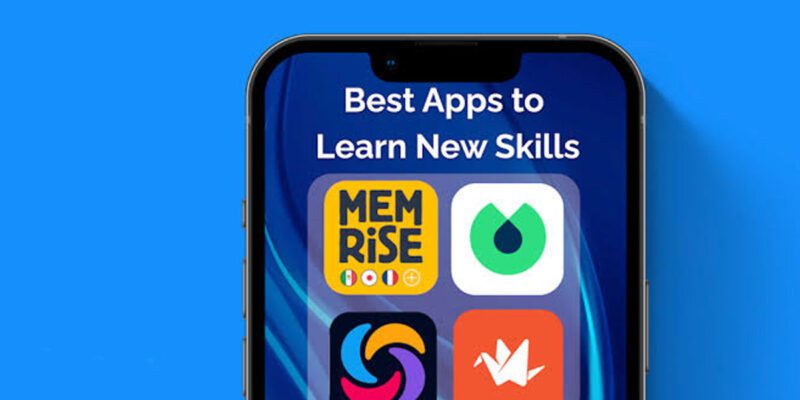
By The phone in your pocket has access to more educational content than any library in human history. It also has Instagram, TikTok, YouTube recommendations, and a dozen other things specifically engineered to prevent you from doing anything requiring sustained attention. Whether your phone is a learning tool or a distraction machine comes down entirely to how you set it up and use it.
The Micro-Learning Reality
Research on attention and mobile learning is clear: people don’t learn complex things in 10-minute phone sessions the way marketing materials for learning apps suggest. Deep skill-building requires sustained concentration and deliberate practice — things a phone in its default configuration actively works against.
What phones are genuinely excellent for is micro-reinforcement of things you’re learning elsewhere. Reviewing flashcards for five minutes while commuting. Listening to an educational podcast while walking. Watching a short tutorial that demonstrates a technique before you practice it at your desk. Re-reading notes before sleep.
Build your phone learning around this reality: reinforcement and exposure, not primary deep learning.
Apps Worth Actually Using
Anki deserves mention first because it’s based on the most research-supported learning method available: spaced repetition. You create or download flashcard decks, and the app shows you cards at precisely the intervals that maximize long-term retention. Medical students, language learners, and law students use it for high-stakes memorisation. It’s free, ugly, and genuinely effective.
Duolingo is fine for maintaining language exposure but insufficient as a primary language learning tool. The gamification keeps engagement but limits depth. Use it daily for exposure while doing proper language study elsewhere.
Blinkist and Shortform provide summaries of non-fiction books. Useful for deciding which books are worth reading in full, not as replacements for reading.
YouTube is dramatically underrated as a serious learning platform. Searching “MIT lecture linear algebra,” “Harvard CS50,” or any expert teaching a skill you want produces high-quality educational content that most people walk past in favour of entertainment recommendations.
Coursera, edX, and Brilliant have mobile apps. Coursera and edX for structured university-level courses; Brilliant for interactive STEM learning that actually works on mobile because it’s built for it.
Setting Your Phone Up for Learning
Create a separate home screen page dedicated to learning apps. Put it somewhere slightly inconvenient — not your main home screen. This creates a deliberate choice: you have to navigate there intentionally.
Set a daily time for learning and create a phone shortcut for it. “Learning time” in your calendar at 7am, which opens Anki automatically. This anchors the behavior to a specific time and removes the activation energy of deciding what to do.
Use Spotify or podcast apps for passive learning during commute or exercise: language learning podcasts, skill-specific interviews, lectures. The time you’d spend passively listening to music becomes educational without adding any additional commitment.
What Doesn’t Work
Passive consumption of motivational content about learning. Videos about becoming a more productive learner, articles about the best study techniques, podcasts about high achievers — none of this is learning. It feels productive but produces zero skill gain. This content is often where learning intentions go to die.
Switching between multiple learning apps and courses simultaneously. You’ll have superficial exposure to everything and mastery of nothing. Pick one skill, one resource, and go deep before starting something else.
The Practice Problem
Most things worth learning require physical practice you can’t do on a phone. Playing guitar, cooking, drawing, physical skills of any kind — the phone’s role here is limited to watching demonstrations, looking up technique explanations, and finding inspiration. The actual learning happens away from the screen. Use the phone to inform practice, not to replace it.
Views: 29

You may also like
Is Your Android Battery Calibration Off? How to Fix Wrong Percentages

Why Your Android Phone Charges So Slowly and What Actually Fixes It

How to Use Your Phone to Learn About Nutrition Without Getting Confused
More in:Apps

How to Use Your Phone to Build Better Habits That Actually Stick

How to Use Your Phone to Help You Through a Difficult Life Transition

How to Use Your Phone for Better, More Meaningful Travel Experiences

TecRounder is a blog that shares New Technology news from around the world (hence the name TecRounder), including the most recent mobile and gadget information: smartphone features, specifications, and more. You can find the latest technology updates here, including the most recent information on smartphones, laptop computers, and other electronic devices.