How to Stop Robocalls and Spam Calls on Android Once and For All
 By
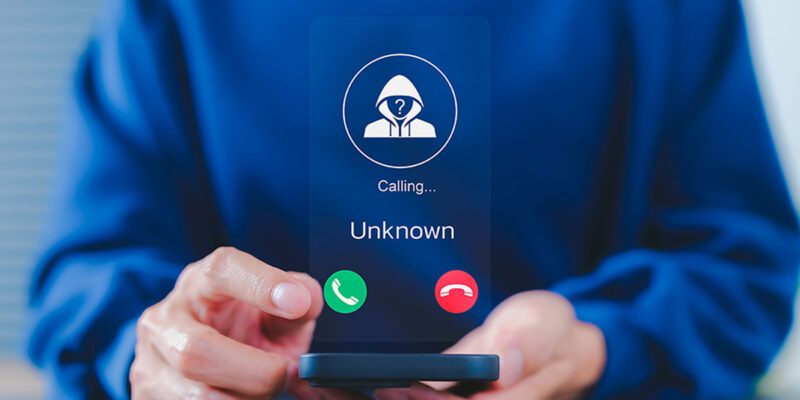
By Robocalls and spam calls have become one of the most universally annoying aspects of having a phone number. They’ve evolved to spoof local numbers, use AI voices, and rotate through numbers faster than blocking can keep up with. But there are multiple effective defenses — here’s the most effective combination.
Enable Google Phone App’s Built-In Spam Protection
If you’re using the Google Phone app (standard on Pixel phones and installable on other Android), go to the three-dot menu > Settings > Caller ID & Spam. Enable both See caller & spam ID and Filter spam calls. Google’s spam database is extensive and blocks the majority of known robocall numbers automatically before they even ring your phone.
Samsung One UI: Enable Call Protect
On Samsung phones, open the Phone app and go to the three-dot menu > Settings > Caller ID and Spam Protection. Enable it. Samsung maintains its own spam call database integrated with Hiya, one of the leading caller ID data providers. This is separate from Google’s protection and adds a useful additional layer.
Use Your Carrier’s Call Filtering Service
Every major carrier offers spam call protection. In the US: T-Mobile Scam Shield (free), AT&T ActiveArmor (free basic), Verizon Call Filter (free tier), Consumer Cellular call screening. In the UK: EE, Vodafone, and O2 all have spam call blocking features in their apps. These operate at the network level, blocking some calls before they reach your phone.
Install a Third-Party Call Blocker
Hiya, Truecaller, and RoboKiller are the leading third-party spam call blockers. Hiya and Truecaller identify incoming calls with caller ID from their databases and flag spam automatically. RoboKiller goes further and can answer robocalls with AI responses designed to waste the scammer’s time. All have free tiers that handle basic spam identification.
Enable Silence Unknown Callers Mode
For maximum protection: go to your Phone app settings and enable a feature that silences calls from numbers not in your contacts. Calls from unknowns go silently to voicemail. This is aggressive — you’ll miss calls from doctors’ offices, delivery companies, and other legitimate sources — but for people overwhelmed with spam it provides instant relief.
Never Call Back Unknown Missed Calls
Some robocall schemes rely on missed call scams where calling back connects to premium-rate numbers that charge per-minute fees. If you missed a call from an unknown number and they left no voicemail, don’t call back. If it was important, they’ll call again or leave a message.
Register on the Do Not Call List
Register at donotcall.gov (US) or tps.co.uk (UK). This doesn’t stop illegal robocallers but reduces legitimate telemarketing calls significantly, making the remaining spam easier to identify. It also makes calling you after registration an offense that can be reported and in some cases fined.
having a phone number. They’ve evolved to spoof local numbers, use AI voices, and rotate through numbers faster than blocking can keep up with. But there are multiple effective defenses — here’s the most effective combination.
Enable Google Phone App’s Built-In Spam Protection
If you’re using the Google Phone app (standard on Pixel phones and installable on other Android), go to the three-dot menu > Settings > Caller ID & Spam. Enable both See caller & spam ID and Filter spam calls. Google’s spam database is extensive and blocks the majority of known robocall numbers automatically before they even ring your phone.
Samsung One UI: Enable Call Protect
On Samsung phones, open the Phone app and go to the three-dot menu > Settings > Caller ID and Spam Protection. Enable it. Samsung maintains its own spam call database integrated with Hiya, one of the leading caller ID data providers. This is separate from Google’s protection and adds a useful additional layer.
Use Your Carrier’s Call Filtering Service
Every major carrier offers spam call protection. In the US: T-Mobile Scam Shield (free), AT&T ActiveArmor (free basic), Verizon Call Filter (free tier), Consumer Cellular call screening. In the UK: EE, Vodafone, and O2 all have spam call blocking features in their apps. These operate at the network level, blocking some calls before they reach your phone.
Install a Third-Party Call Blocker
Hiya, Truecaller, and RoboKiller are the leading third-party spam call blockers. Hiya and Truecaller identify incoming calls with caller ID from their databases and flag spam automatically. RoboKiller goes further and can answer robocalls with AI responses designed to waste the scammer’s time. All have free tiers that handle basic spam identification.
Enable Silence Unknown Callers Mode
For maximum protection: go to your Phone app settings and enable a feature that silences calls from numbers not in your contacts. Calls from unknowns go silently to voicemail. This is aggressive — you’ll miss calls from doctors’ offices, delivery companies, and other legitimate sources — but for people overwhelmed with spam it provides instant relief.
Never Call Back Unknown Missed Calls
Some robocall schemes rely on missed call scams where calling back connects to premium-rate numbers that charge per-minute fees. If you missed a call from an unknown number and they left no voicemail, don’t call back. If it was important, they’ll call again or leave a message.
Register on the Do Not Call List
Register at donotcall.gov (US) or tps.co.uk (UK). This doesn’t stop illegal robocallers but reduces legitimate telemarketing calls significantly, making the remaining spam easier to identify. It also makes calling you after registration an offense that can be reported and in some cases fined.
Views: 53

You may also like
How to Use Your Phone to Plan and Track Your Garden or Allotment

How to Use Your Phone to Help You Through a Difficult Life Transition

How to Use Your Phone to Manage Your Mental Load and Stop Forgetting Things
More in:Technology

How to Use Your Phone to Reduce Your Environmental Impact

How to Use Your Phone to Make Better Decisions

How to Use Your Phone to Manage Your Children’s Screen Time Without Constant Conflict

TecRounder is a blog that shares New Technology news from around the world (hence the name TecRounder), including the most recent mobile and gadget information: smartphone features, specifications, and more. You can find the latest technology updates here, including the most recent information on smartphones, laptop computers, and other electronic devices.