 By
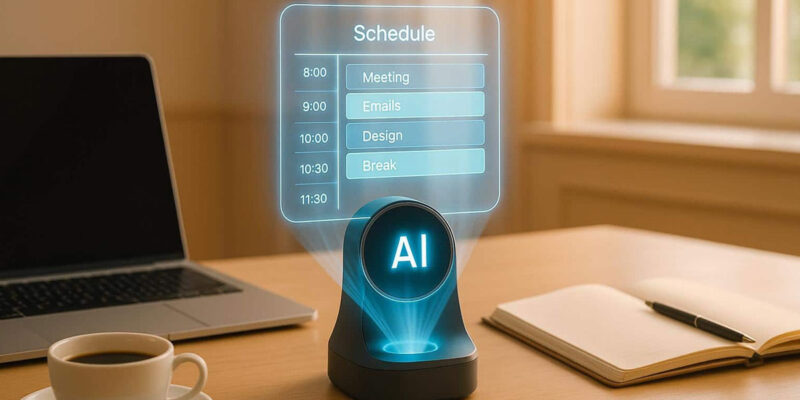
By Most time management systems fail because they’re too rigid, too complicated, or designed around someone else’s work style. AI tools can help you build a time management approach that adapts to how you actually work. Here’s a practical system.
Daily Planning With AI: The 10-Minute Morning Habit
Every morning, describe your day to an AI: ‘Today I have [meetings]. My three most important deliverables are [X, Y, Z]. I have [available hours]. I’m also dealing with [ongoing demands]. Help me structure today for maximum output.’ The AI considers your constraints and produces a prioritized daily plan. This 10-minute investment typically saves hours of direction-switching throughout the day.
Weekly Review and Planning
At the end of each week, do a brief review with AI: ‘This week I completed [X], didn’t finish [Y] due to [reasons], and spent unexpected time on [Z]. What patterns do you see in what’s working and what’s not? Help me plan next week better based on this.’ This metacognitive review improves your time management system over time rather than repeating the same inefficiencies weekly.
Use AI to Prioritize When Everything Feels Urgent
‘I have 12 things I need to do today and feel overwhelmed. Here’s the list: [list with brief context on each]. Help me identify which three I should focus on first and what the actual consequences are of deferring the others.’ AI is particularly useful for depressurizing the false urgency that makes every task feel equally critical — helping you see which things genuinely need to happen today.
Batch Similar Tasks Intelligently
‘I have these tasks this week: [list]. Group them by cognitive type — deep work, administrative, communication, creative — and suggest an optimal schedule that minimizes context switching.’ Batching cognitively similar tasks reduces the switching cost that drains productivity. AI can identify these groupings more systematically than intuition alone.
AI-Assisted Email Processing
For heavy email users, describe your inbox to AI: ‘I have 80 unread emails. Here are the sender names and subject lines: [list]. Help me identify which need same-day response, which can be deferred to this week, and which I can safely archive.’ This inbox triage with AI assistance helps you reach inbox zero faster than reading every email fully before deciding its priority.
Building and Protecting Deep Work Time
Ask AI to help you identify and protect your highest-focus hours: ‘I do my best creative and analytical work between 9-11am. How should I structure my week to protect these hours from meetings and administrative work while still meeting collaboration expectations?’ AI can draft a calendar blocking strategy and even help you write the communication explaining it to colleagues.
Reclaim and Motion for Automated Scheduling
Tools like Reclaim.ai and Motion integrate with your calendar and use AI to automatically schedule tasks, protect focus time, and rearrange your day when unexpected priorities arise. They’re paid services but represent the next evolution of AI time management — moving from advice you have to implement manually to automation that restructures your calendar on your behalf.
Views: 27

You may also like

How to Use Your Phone to Plan and Track Your Garden or Allotment
How to Use Your Phone to Build Better Habits That Actually Stick

How to Use Your Phone to Help You Through a Difficult Life Transition
More in:Apps

How to Use Your Phone to Manage Your Mental Load and Stop Forgetting Things

How to Use Your Phone to Reduce Your Environmental Impact

How to Use Your Phone to Make Better Decisions

TecRounder is a blog that shares New Technology news from around the world (hence the name TecRounder), including the most recent mobile and gadget information: smartphone features, specifications, and more. You can find the latest technology updates here, including the most recent information on smartphones, laptop computers, and other electronic devices.