Why You Should Stop Deleting Apps When Your Phone Is Slow
 By
By When a phone slows down, the first instinct for most people is to delete apps. It makes intuitive sense — fewer apps means less stuff running, which means a faster phone. Unfortunately, this intuition is mostly wrong, and the real causes of phone slowness often get ignored while people delete apps that weren’t the problem.
Here’s what actually slows phones down, and what you should do instead.
The App Count Myth
Having 200 apps installed isn’t inherently slower than having 50 apps, provided those apps aren’t actively running. Android and iOS are both designed to manage app memory intelligently — apps that aren’t being used are in a suspended state that consumes minimal resources. Having them installed but not running barely affects performance.
What matters isn’t how many apps you have, but what those apps do when they’re not open. An app that’s actively running background processes, syncing data, and accessing network resources while you’re not using it affects performance. An app sitting in your app drawer doing nothing does not.
What Actually Causes Slowness
Insufficient storage space is the most common culprit. When internal storage drops below about 15-20% free space, performance degrades measurably because the system can’t efficiently manage temporary files and virtual memory. Check Settings > Storage. If you’re above 85% full, clearing storage (photos, cached data, downloaded files) will make a visible difference.
Accumulated cached data in specific apps can cause those apps to run slowly or behave erratically. Clearing the cache of Chrome, Instagram, YouTube, or whatever large apps you use regularly often fixes slowness in those specific apps.
Outdated software is a real cause that people underestimate. Running an old version of Android or iOS on hardware that’s two or three years old means you’re missing performance optimisations that were pushed through updates. System updates often include memory management improvements.
A specific misbehaving app — running at high CPU in the background, causing a memory leak, crashing and restarting repeatedly — can drag down the entire system. Identifying this requires looking at battery or memory usage statistics to find the outlier. Once identified, clearing its cache and data, or uninstalling and reinstalling, usually fixes it.
Battery degradation causes a different kind of slowness. When an aged battery can’t deliver consistent voltage, some phones throttle the processor to match what the battery can reliably power. This is specifically designed to prevent random shutdowns but results in reduced performance. On iPhone, you can see this in Settings > Battery > Battery Health. On Android, AccuBattery app shows battery capacity and health.
What You Should Actually Do When Your Phone Is Slow
Free up storage space (target 20%+ free).
Clear the cache of your most-used large apps.
Check for system updates and install any pending.
Look at battery or RAM usage to identify any app that’s abnormally consuming resources.
Restart your phone. Many people run their phones for weeks without a restart. Restarting clears RAM, stops leaked processes, and often produces an immediate improvement.
Enable Developer Options and reduce animation scales to 0.5x — the phone feels faster immediately because transitions happen quicker.
When Deleting Apps Is the Right Answer
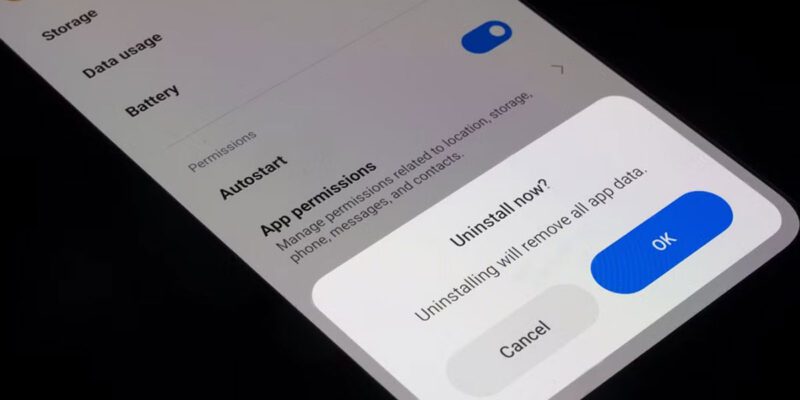
Deleting apps is appropriate when: – An app is actively misbehaving (high CPU, excessive background data usage) – You’re significantly low on storage and the app data is substantial – You haven’t used it in months and it runs background services
Deleting apps just because you have a lot of them, or as a general “cleanup,” doesn’t help performance meaningfully and removes apps you might want later.
Views: 54

You may also like
Is Your Android Battery Calibration Off? How to Fix Wrong Percentages

Why Your Android Phone Charges So Slowly and What Actually Fixes It

How to Use Your Phone to Learn About Nutrition Without Getting Confused
More in:Gadgets

How to Use Your Phone to Document and Share Your Creative Work

How to Use Your Phone to Prepare for a Job Interview

How to Use Your Phone to Manage Your Pet’s Health Records and Vet Visits

TecRounder is a blog that shares New Technology news from around the world (hence the name TecRounder), including the most recent mobile and gadget information: smartphone features, specifications, and more. You can find the latest technology updates here, including the most recent information on smartphones, laptop computers, and other electronic devices.