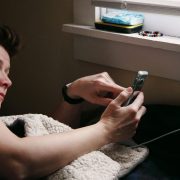
How to Use Your Phone as a Sleep Tracker Without Buying a Wearable
 By
By Sleep tracking used to require buying a Fitbit or Apple Watch. Now your phone can do a surprisingly capable version of the same thing — for free, using hardware you already own.
Here’s what’s possible, how to set it up, and what the limitations are so you know what you’re actually measuring.
How Phone-Based Sleep Tracking Works
Your phone uses the accelerometer (the motion sensor) to detect when you’re moving and when you’re still. During sleep, movement patterns correlate reasonably well with sleep stages — lots of movement suggests light sleep, minimal movement suggests deep sleep or REM. The phone can also use the microphone to detect sounds (snoring, talking in sleep) if you enable that feature.
This is less accurate than a wrist-worn device and significantly less accurate than clinical sleep measurement, but it captures broad patterns and trends that are genuinely useful for understanding your sleep habits.
Google’s Built-In Sleep Tracking (Pixel and Samsung)
Pixel phones with Android 12+ have Sleep tracking built in through the Digital Wellbeing settings. Go to Settings > Digital Wellbeing & Parental Controls > Sleep Mode > Use Bedtime Mode. When enabled, your phone tracks your sleep using the accelerometer while it’s on your bedside charger.
Samsung phones with One UI 4+ include Sleep tracking through the Samsung Health app. Open Samsung Health > Track > Sleep. Place your phone screen-down on the bed near you while you sleep.
Sleep as Android
Sleep as Android is the most comprehensive third-party sleep tracking app for Android. It uses the accelerometer to detect sleep cycles, has a “smart alarm” that wakes you during a light sleep phase within a window you set (which means waking up feeling less groggy), can record snoring and sleep talking, and integrates with smartwatches if you add one later.
The free version provides two weeks of full functionality; after that it requires a one-time purchase. Worth it if sleep tracking is something you’ll use regularly.
Pillow (iPhone)
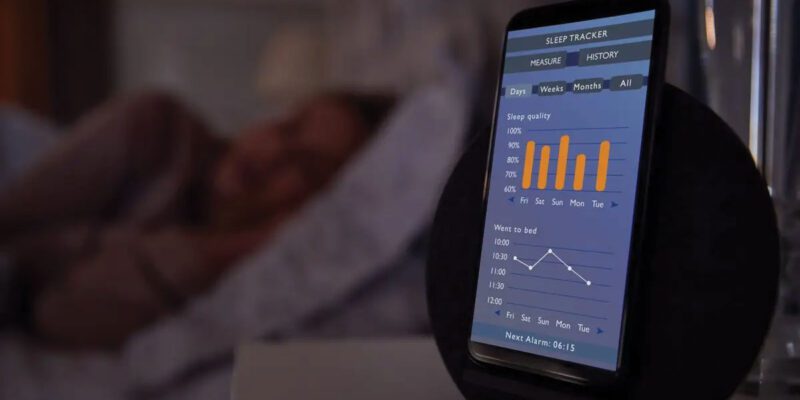
Pillow is one of the better iPhone sleep tracking apps. It uses the iPhone’s motion sensors and, if you have an Apple Watch, can use that as well. The sleep stage analysis is shown in an easy-to-read graph. It integrates with Apple Health and provides weekly and monthly sleep reports.
The free version covers basic tracking; the premium version adds heart rate analysis (requires Apple Watch) and more detailed reporting.
How to Set It Up for Best Results
Place the phone on your bed, ideally near your pillow but not directly under it. Screen facing down reduces ambient light from notifications. Charging on your nightstand and having the cord reach to the bed is the most practical setup.
Turn on Do Not Disturb before sleep — most sleep apps integrate with DND to do this automatically when you enable bedtime mode.
Be consistent with placement. The accelerometer readings are most useful when the phone is in the same position relative to your body each night.
What Phone Sleep Tracking Is Good For
Identifying patterns: whether your sleep duration changes across days of the week, whether certain days you consistently sleep worse, how your sleep responds to changes in behavior.
Understanding sleep duration vs sleep quality: it’s common to spend eight hours in bed but actually sleep only six hours. Seeing this in data is motivating for changing sleep habits.
The smart alarm feature: being woken during light sleep rather than deep sleep makes a real difference in how you feel in the morning, and this is one thing phone sleep tracking does well.
What It’s Not Good For
Precise sleep stage analysis (REM vs deep vs light) is better from a wrist device and much better from a clinical study. If you’re investigating a specific sleep disorder like sleep apnea, phone tracking is not the right tool — a medical professional and proper diagnostic equipment are.
Views: 115

You may also like
How to Stop Your Kids From Spending Money on Your Phone by Accident
How to Use Your Phone to Manage Your Time When You Work From Home
How to Use Your Phone Camera to Spot Things You’d Otherwise Miss
More in:Gadgets

How to Use Your Phone to Build Better Habits That Actually Stick

How to Use Your Phone to Help You Through a Difficult Life Transition
How to Use Your Phone to Manage Your Mental Load and Stop Forgetting Things

TecRounder is a blog that shares New Technology news from around the world (hence the name TecRounder), including the most recent mobile and gadget information: smartphone features, specifications, and more. You can find the latest technology updates here, including the most recent information on smartphones, laptop computers, and other electronic devices.