How to Make Phone Calls That Don’t Drop or Cut Out
 By
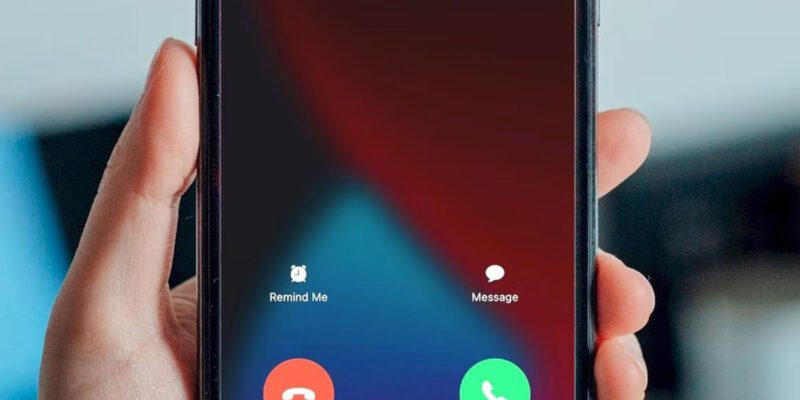
By Nothing derails a conversation quite like a call that drops at a critical moment. You’re mid-sentence, maybe giving someone important information or having a difficult conversation, and then silence. Or worse — a call that stays connected but sounds like you’re both talking through pillows, full of gaps and robotic artifacts.
Here’s what actually determines call quality and what you can do about it.
Understanding Why Calls Drop
A phone call is actually a series of data packets — tiny chunks of audio traveling between your phone and the recipient’s phone via towers, switches, and servers. When the signal is strong and consistent, these packets arrive in order and the call sounds natural. When signal is weak, packets get lost or arrive late, and you get the characteristic chopping, robotic sound, or silence.
Calls drop when the connection falls below the minimum threshold needed to maintain the session, or when the phone loses connection entirely while trying to hand off to a new tower.
Where You Stand (Literally) Matters a Lot
Cellular signal behaves in non-obvious ways indoors. Walls, especially concrete or brick, attenuate signal significantly. Metal structures, including modern building materials, can block signal almost entirely. This is why certain spots in your home have great signal and others are dead zones.
When you need reliable call quality, position matters. Near a window facing away from the building’s interior typically gives better signal than the center of the room. Higher floors tend to be better than lower ones. Basements are usually worst.
Wi-Fi Calling: The Underused Solution
Most carriers offer Wi-Fi Calling, which routes your phone calls over your home Wi-Fi rather than the cellular network. If your home has good Wi-Fi but mediocre cellular signal, enabling Wi-Fi Calling can dramatically improve call quality.
On iPhone: Settings > Phone > Wi-Fi Calling. Toggle it on.
On Android/Samsung: Settings > Connections > Mobile Networks > Wi-Fi Calling.
With Wi-Fi Calling enabled, your phone uses Wi-Fi when the signal is good enough and falls back to cellular when it isn’t. You don’t have to think about which one you’re using — it happens automatically.
VoLTE: Voice Over LTE
VoLTE (Voice over LTE) uses the 4G data network for calls rather than the older 2G/3G voice network. VoLTE calls have notably better audio quality — richer, clearer, less compressed-sounding. Most carriers have this enabled by default now, but it’s worth checking.
On iPhone: Settings > Cellular > Cellular Data Options > Enable LTE > Voice & Data.
On Samsung Android: Settings > Connections > Mobile Networks > VoLTE Calls.
If you’re on VoLTE and still experiencing poor quality, the issue is likely signal strength rather than the call technology.
WhatsApp and Video Calling Quality
For WhatsApp calls, the quality depends entirely on your internet connection rather than cellular signal. A great cellular signal but bad Wi-Fi router placement can cause poor WhatsApp call quality even when regular calls are fine.
For WhatsApp calls specifically: make sure you’re on Wi-Fi if your cellular data is limited or slow. Move closer to your router if possible during important calls. Enable “Reduce Data Usage” in WhatsApp Settings > Storage and Data > Use Less Data for Calls — counterintuitively, this can improve quality on unstable connections by requesting a lower bitrate that the connection can handle more reliably.
When It’s the Other Person’s Problem
One important reality: you can only control your end of the connection. If the audio is fine on your end but the other person sounds bad, the issue is on their side. Test this by calling from the same location with someone else — if calls are consistently poor with one specific person but fine with others, the problem is their phone or signal.
Practical Tips for Important Calls
Before a call that really matters — a job interview, a difficult family conversation, a business negotiation — test your connection quality from the location you’ll be making the call. Make a brief test call to someone and ask if you sound clear. Know your reliable spots at home. Have your Wi-Fi Calling enabled. Have the other person’s number in an alternative app (WhatsApp, FaceTime) in case the regular call drops.
These small preparations take two minutes and prevent the embarrassment and frustration of a dropped call at the worst possible moment.
Views: 46

You may also like

How to Use Your Phone to Create a Morning Routine That Actually Works

How to Handle Phone Anxiety and the Constant Pressure to Be Available
How to Use Your Phone to Plan and Track Your Garden or Allotment
More in:Gadgets

How to Stop Your Kids From Spending Money on Your Phone by Accident

How to Use Your Phone to Manage Your Time When You Work From Home
How to Use Your Phone Camera to Spot Things You’d Otherwise Miss

TecRounder is a blog that shares New Technology news from around the world (hence the name TecRounder), including the most recent mobile and gadget information: smartphone features, specifications, and more. You can find the latest technology updates here, including the most recent information on smartphones, laptop computers, and other electronic devices.