How to Record Phone Calls Legally and Safely
 By
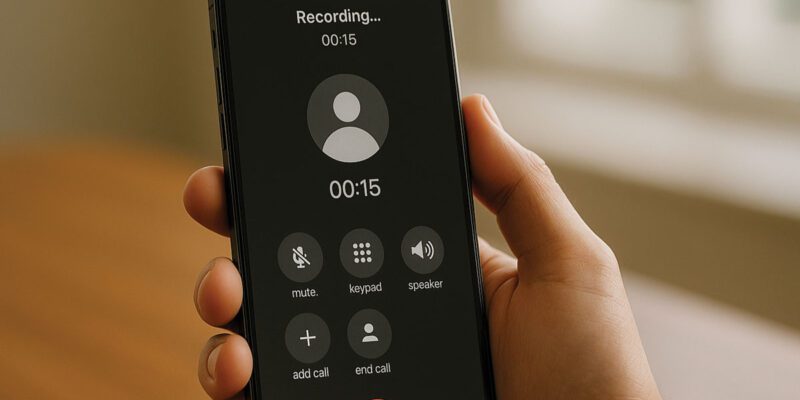
By Recording phone calls is a legally complicated topic because the rules vary significantly between countries, states, and even the specific purpose of the recording. Getting this wrong can have real legal consequences. Getting it right is legitimately useful for many legitimate purposes.
Here’s a practical guide with the caveat that if you’re recording for any legal or professional purpose where the recording might be used as evidence or in a dispute, consult a lawyer about the laws in your specific jurisdiction.
The Consent Rule Basics
Most jurisdictions fall into one of two categories:
One-party consent: only one person on the call needs to consent to recording — and that person can be you. You can record a call without telling the other person. This applies in most US states, most of the UK (with some nuance), and many other countries.
Two-party (or all-party) consent: everyone on the call must consent to recording. California, Illinois, and several other US states require this. If you’re in one of these states and record without the other person’s knowledge, it can be illegal.
In practice, if you’re recording calls for your own reference (remembering what was discussed, keeping a record), the risk of legal issue is low in most contexts. If you’re planning to use the recording in a legal dispute or share it with others, the rules become more significant.
The safest universal approach: tell people when you’re recording. “I’d like to record this call for my notes, is that okay?” In most professional contexts, people say yes without issue.
How to Record on Android
Some Android phones have built-in call recording. Samsung Galaxy phones running One UI 3 and above have a call recording option during calls — look for the “Record” button that appears during a call. The availability varies by region due to legal considerations (Google has removed this feature in some regions precisely because of consent law complexity).
Third-party apps: Google Phone app has a built-in recording feature for certain regions. Cube ACR is one of the better-known third-party call recording apps for Android.
Google Voice (available in the US) has a built-in recording feature for incoming calls that you activate by pressing 4 during a call — and it plays a message to both parties that the call is being recorded.
How to Record on iPhone
Apple doesn’t allow direct call recording through the OS because of legal complexity. Options:
– Use a speakerphone and a separate recording device or app listening to the room audio – Use a Bluetooth recorder that captures audio from both ends – Third-party apps that use a third-party recording line: TapeACall, Rev Call Recorder, and similar services work by conferencing in their recording line. The call is routed through their service which records it. These typically have subscription costs. – Google Voice on iPhone (if you use it for calls) can record incoming calls.
Best Practices Regardless of Method
State at the start of important recorded calls that you’re recording and get verbal consent. This protects you legally in all jurisdictions.
Keep recordings in a secure location — not just in a folder on your phone with no backup. If the recording is important enough to make, it’s important enough to back up.
Label recordings with the date, time, and who the call was with, immediately after hanging up. Trying to remember what an unlabeled recording was about six months later is hopeless.
Don’t record calls with healthcare providers without explicit consent — patient-provider communication has additional privacy protections in many jurisdictions.
Views: 65

You may also like

How to Use Your Phone Camera to Spot Things You’d Otherwise Miss

How to Use Your Phone to Build Better Habits That Actually Stick

How to Use Your Phone to Help You Through a Difficult Life Transition
More in:Gadgets

How to Use Your Phone to Manage Your Mental Load and Stop Forgetting Things

How to Use Your Phone to Reduce Your Environmental Impact

How to Use Your Phone to Make Better Decisions

TecRounder is a blog that shares New Technology news from around the world (hence the name TecRounder), including the most recent mobile and gadget information: smartphone features, specifications, and more. You can find the latest technology updates here, including the most recent information on smartphones, laptop computers, and other electronic devices.