Does Factory Reset Make Android Faster? What to Know First.
 By
Your phone has become slow, glitchy and irritating, and you have tried the usual fixes. Someone suggests the nuclear option: a factory reset. It sounds dramatic, and it is a little scary. Will it actually make your phone faster, or will you just lose your data for nothing?
The honest answer is that a factory reset can help a lot, but not always. This guide explains what a reset really does, when it is worth trying, how to back up properly first, and what to do afterward so the slowness does not return.
What a factory reset does
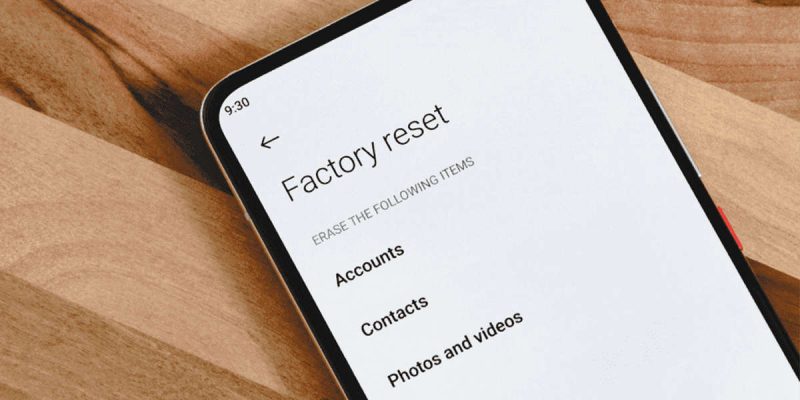
A factory reset wipes your phone and returns the software to the state it was in when you first turned it on. All apps, accounts, photos, messages, settings and downloads stored on the phone are removed. It is like moving out of a cluttered house and starting in an empty one.
Does it make an Android phone faster?
Often, yes, when the slowness is caused by software. Over time, phones collect old app data, leftover files, conflicting settings and half-finished updates. A reset clears all of that, and many people find their phone feels snappier, at least for a while.
But it will not fix hardware limits. If your phone has an old processor, very little memory or a worn battery, a reset cannot change that. It can also not fix a phone that is slow because storage is full of photos you restore straight back.
Try these simpler fixes first
A reset is a big step, so work through the smaller ones before you commit.
- Restart the phone.
- Free up storage so at least 10 to 15 percent is empty.
- Clear cache for slow apps and update or reinstall them.
- Uninstall apps you do not use.
- Install pending system and app updates.
- Check battery health, since a worn battery can cause slowdowns and shutdowns.
- Try safe mode to see whether a third-party app is the cause.
If the phone is still slow after these steps, a reset becomes a reasonable choice.
How to back up before you reset
This is the most important part, and where people get hurt. Once you reset, your data is gone unless it is saved elsewhere. Take your time with the backup.
Photos and videos
Back them up to cloud storage, or copy them to a computer. Open the backup and check that your latest photos are there before you continue.
Contacts, calendar and settings
Most are saved to your Google account if sync is on. Check in Settings under Accounts or Google that sync is working. Samsung and other brands also have their own backup tools.
Messages and chat apps
WhatsApp and similar apps need their own backups. Back up WhatsApp to your cloud storage in the app’s settings, and wait for it to finish. If you skip this, your chat history may be lost.
Files, documents and app data
Copy any files you need to a computer or cloud drive. Some apps, such as games, store progress in the cloud only if you sign in, so make sure you are linked to an account.
Passwords and two-step logins
Make sure you know your Google account password and any recovery information. After a reset, the phone may ask you to sign in to the account that was on it. If you cannot, you could be locked out. If you use an authenticator app, make sure you can move it to the new setup before you reset.
How to factory reset an Android phone
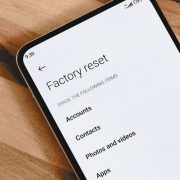
Steps vary by brand, but the general path is: Settings, then System or General management, then Reset options, then Erase all data or Factory data reset. You may need to enter your PIN or password. Keep the phone charged, ideally above 50 percent, or plugged in, so that it does not die halfway through.
What to do after the reset
This is where many people undo their progress. Restoring everything in one go brings back the same clutter and settings that caused the slowdown. Instead, set up the phone as new, or restore only essentials. Install the apps you really need, one by one, and watch how the phone behaves.
Skip apps you have not used in months. Do not restore old cleaner or booster apps. Keep storage free, and install updates. If the phone is fast on a clean setup but slows down after you add a certain app, you have found the culprit.
When a reset will not help
- Your phone is very old and no longer gets updates.
- The battery is worn out, and the phone shuts down or throttles.
- The phone is slow right after a reset with almost nothing installed. This points to hardware.
- The storage chip is failing, and the phone freezes randomly.
In these cases, a battery replacement, repair or upgrade is the better path.
A word of caution about locked accounts
Modern Android phones include a protection feature that asks for your Google account after a reset, to stop thieves from using a stolen phone. If you forget your account details, you may not be able to use the phone. Check that you remember your login before you reset.
A realistic expectation
People often expect a reset to feel like buying a new phone. It rarely does, but it can bring you back to roughly the speed the phone had in its early months. That is a worthwhile gain if your phone has become frustrating. Go in expecting a clean, tidy phone, not a miracle, and you will not be disappointed.
How to tell if a reset is worth it for you
Ask yourself three questions. Is the slowness across the whole phone, not just one app? Have you already freed storage, cleared cache and updated? Is the battery in decent shape? If you answered yes to all three, a reset has a good chance of helping. If the phone is slow only in one app, or if the battery is clearly worn, fix that first. A reset takes time, and you want to spend it where it will help.
Tips to make setup after a reset smoother
- Write down the Wi-Fi networks you use, since saved passwords will vanish.
- Make sure two-step verification apps are ready to move across.
- Install your most important apps first, such as banking and messaging.
- Check your photos are really in the cloud before you reset.
- Give the phone time after setup, since it will download updates and optimize in the background.
Final thoughts
A factory reset can bring a sluggish phone back to life, but it works best as a last resort after simpler fixes, with a careful backup, and a clean, slow restore of apps. Do it thoughtfully, and you give your phone a fresh start. Rush it, and you may lose precious memories for no gain.
Frequently asked questions
Will a factory reset speed up my Android phone?
It often does when the slowness comes from software clutter, but it cannot fix old hardware or a worn battery.
Does a factory reset delete everything?
Yes. All apps, photos and settings on the phone are erased unless you back them up first.
How long does a factory reset take?
Usually a few minutes, followed by setup time. Restoring apps and data can take longer.
How often should I reset my phone?
You do not need to do it regularly. Use it only when other fixes fail.
Views: 0

You may also like
Does Closing Apps Really Save Android Battery? The Truth
Do Cleaner and Booster Apps Work on Android? The Honest Truth
Dark Mode and Battery Life: How Much Does It Really Save
More in:Gadgets
Android Storage Almost Full? What to Delete First
Android Screen Lag and Touch Delay: Causes and Quick Fixes
Android Phone Slow After Months of Use: Here Is the Real Reason

TecRounder is a blog that shares New Technology news from around the world (hence the name TecRounder), including the most recent mobile and gadget information: smartphone features, specifications, and more. You can find the latest technology updates here, including the most recent information on smartphones, laptop computers, and other electronic devices.