How to Deal With a Cracked Phone Screen Without It Getting Worse
 By
By That horrible crunch of your phone hitting the floor, followed by the sinking moment when you turn it over and see the damage — a cracked screen is one of the most common and most frustrating phone mishaps. What you do in the next few minutes affects how bad the situation gets.
Immediate Steps
First: don’t continue using the phone normally without some protection. Glass shards from a cracked screen can cut fingers, and the ongoing pressure of normal use spreads cracks further.
If there are glass fragments separating from the screen surface, put a piece of clear tape over the cracked area temporarily. This holds the glass in place, protects your fingers, and prevents further separation. This is emergency temporary protection, not a solution.
If the touchscreen still works, use the phone as needed but avoid swiping across the cracked area more than necessary. The friction of swiping on cracked glass increases spreading.
Assessing the Damage
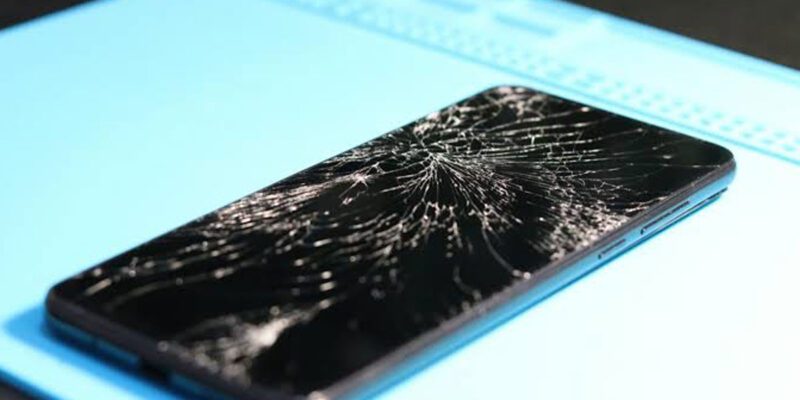
The crack pattern matters. A single crack from one point of impact may be stable. A “spider web” pattern from a significant impact is structural damage that spreads easily with further use. Cracks near the edge of the screen are more likely to extend under the display bezel and affect internal components.
Touch functionality: if the touchscreen doesn’t respond in certain areas, the digitizer (touch-sensing layer) is damaged. If the display shows discoloration, dark spots, or blotches, the LCD or OLED layer is affected.
Can the Crack Be Managed Without Repair?
A hairline surface crack on a phone with a hardened screen can sometimes be managed for months without repair, especially with a tempered glass screen protector installed over it. The protector holds the surface together and prevents further damage.
However: this only works for purely surface damage. If the touch function is compromised or the display is damaged, usability degrades over time and repair becomes increasingly necessary.
Repair Options and Costs
Manufacturer repair: most reliable but typically most expensive. Apple Genuine Parts service ensures original components. Usually requires mailing the phone or visiting a service centre. Costs $150–400 depending on model.
Third-party repair shops: significantly cheaper, typical screen repair for common models $50–150. Quality varies — ask whether they use OEM (original equipment manufacturer) parts, aftermarket, or refurbished screens. OEM or high-quality aftermarket is worth paying slightly more for better colour accuracy and touch sensitivity.
DIY screen replacement: kits are available for popular phone models. Requires removing many screws, separating adhesive-bonded components, and handling fragile cables. Possible for technically confident people with patience, but mistakes can turn a cracked screen into a completely broken phone. Not recommended for first-timers.
Insurance Claims
If you have phone insurance (through your carrier, credit card, or a standalone policy), check whether screen damage is covered and what the deductible is. Many screen repairs cost less than a typical insurance deductible, making out-of-pocket repair more economical. For higher-end phone models where repair costs are high, insurance claims make more sense.
Prevention for Next Time
Screen protector: tempered glass screen protectors reduce the impact transmitted to the display layer and can prevent cracking from moderate drops. They sacrifice slightly for the phone’s glass but protect the phone itself. Replace them after they crack — a cracked screen protector is doing its job.
Case: even a thin case changes how impact forces distribute when a phone hits the ground. Corner protection matters most — phones typically land corner-first.
When to Decide to Replace Instead of Repair
If the phone is three or more years old and the repair cost approaches the value of a new device, factor in that a repair doesn’t give you a new phone — it gives you a repaired old phone that may have other issues developing. Compare repair cost to the cost of an upgrade, especially if the phone contract or purchase cycle makes an upgrade timely anyway.
Views: 72

You may also like
Is Your Android Battery Calibration Off? How to Fix Wrong Percentages

Why Your Android Phone Charges So Slowly and What Actually Fixes It

How to Use Your Phone to Learn About Nutrition Without Getting Confused
More in:Gadgets

How to Use Your Phone to Document and Share Your Creative Work

How to Use Your Phone to Prepare for a Job Interview

How to Use Your Phone to Manage Your Pet’s Health Records and Vet Visits

TecRounder is a blog that shares New Technology news from around the world (hence the name TecRounder), including the most recent mobile and gadget information: smartphone features, specifications, and more. You can find the latest technology updates here, including the most recent information on smartphones, laptop computers, and other electronic devices.