How to Use Your Phone’s Alarm More Effectively (And Actually Wake Up)
 By
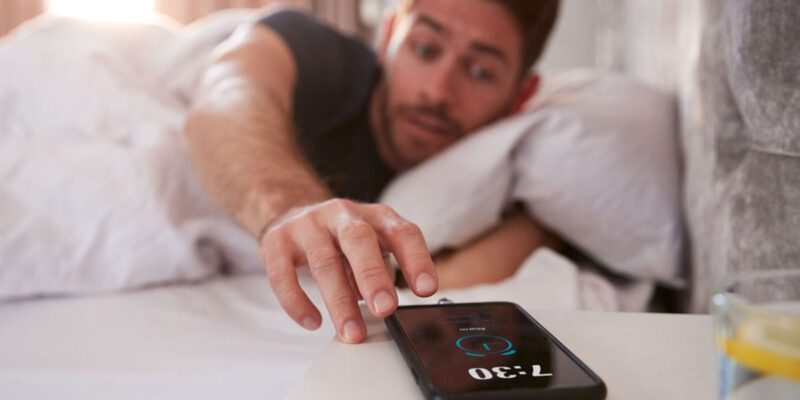
By The snooze button is one of the most widely used and most counterproductive features on any phone. It feels helpful — five more minutes — but the sleep you get between snooze presses is too fragmented to be restorative, and you usually wake up feeling worse than you would have if you’d just gotten up at the original alarm time.
Here’s how to use phone alarms in ways that actually work.
Why Multiple Alarms Make It Worse
Setting five alarms at 10-minute intervals feels like a safety net. In practice, it trains your brain to ignore the first several alarms and genuinely wake up only at the last one. Over time, this conditioning deepens — the first alarm becomes meaningless noise.
The better approach is one alarm — or at most two — set for the time you actually need to get up, with no snooze. This is uncomfortable the first few weeks and becomes normal after that as your body adjusts.
Smart Alarms: Wake at the Right Sleep Stage
Several apps use your phone’s motion sensor to detect your sleep cycle and wake you at a lighter sleep stage within a window you set. If you set a window of 6:30-7am, the alarm rings when you’re in light sleep within that 30-minute window rather than potentially dragging you out of deep sleep.
Waking from light sleep feels dramatically different from waking from deep sleep — less groggy, more alert immediately.
Sleep as Android has this feature (most comprehensive version). The built-in Bedtime feature on Samsung phones has basic sleep cycle wake up. Sleep Cycle (available on iPhone and Android) was one of the first apps to popularise smart alarms.
The limitation: phone-based motion sensing is less accurate than a wrist device. But even an imprecise version of smart wake-up is often better than a fixed alarm.
Alarm Sound Selection Matters More Than You Think
Research on alarm sounds and morning grogginess suggests that melodic, gradual-onset alarms produce less sleep inertia (grogginess) than harsh, sudden sounds. The traditional alarm beep produces a startle response that contributes to poor morning feeling.
Both iPhone and Android allow custom alarm sounds. Songs you like waking up to, gradually increasing sounds from built-in alarm options, or dedicated gentle alarm sounds (in apps like Gentle Wakeup) are all worth trying if you’re a difficult waker.
The Phone Placement Question
Putting your phone across the room forces you to physically get out of bed to turn off the alarm. This is one of the most effective strategies for people who struggle to get up because it removes the option to snooze without moving.
The counterargument: it’s unpleasant if you live with someone who doesn’t have to get up at the same time. Vibration mode, or a very quiet alarm that gradually gets louder, can be more considerate.
Bedtime Feature: The Other Half of the Alarm
Getting up easily is partly about what time you go to sleep. Both iPhone Sleep feature (in Clock > Alarm > Sleep | Wake Up) and Android Bedtime (Digital Wellbeing) include a bedtime reminder that alerts you when it’s time to wind down for the night to get your target sleep duration.
This addresses the root cause of not wanting to wake up: going to bed late enough to be still in the middle of a sleep cycle when the alarm rings.
The First Five Minutes
The hardest part of getting up is the first five minutes. Having a reason to get up that’s more appealing than staying in bed helps: a specific thing to do immediately (make coffee, stretch, read for 10 minutes), a consistent routine that starts the moment the alarm goes off, or an accountability commitment (someone expecting you for an early activity).
The alarm gets you to the edge of consciousness. The next five minutes is where the getting up actually happens, and that’s more psychology than alarm settings.
Views: 50

You may also like
Is Your Android Battery Calibration Off? How to Fix Wrong Percentages

Why Your Android Phone Charges So Slowly and What Actually Fixes It

How to Use Your Phone to Learn About Nutrition Without Getting Confused
More in:Gadgets

How to Use Your Phone to Document and Share Your Creative Work

How to Use Your Phone to Prepare for a Job Interview

How to Use Your Phone to Manage Your Pet’s Health Records and Vet Visits

TecRounder is a blog that shares New Technology news from around the world (hence the name TecRounder), including the most recent mobile and gadget information: smartphone features, specifications, and more. You can find the latest technology updates here, including the most recent information on smartphones, laptop computers, and other electronic devices.