Why Your Android Phone Gets Hot While Charging and When to Worry
 By
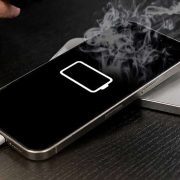
You pick up your phone from the charger and it feels uncomfortably warm. Maybe you even pull your hand away. It is a little alarming, and it is fair to wonder whether something is wrong or whether it could be dangerous.
The short answer is that a bit of warmth is normal, but a phone that gets very hot deserves attention. This guide explains why phones heat up while charging, how to tell normal from worrying, and the simple habits that keep things cool and safe.
Why does a phone get warm while charging at all?
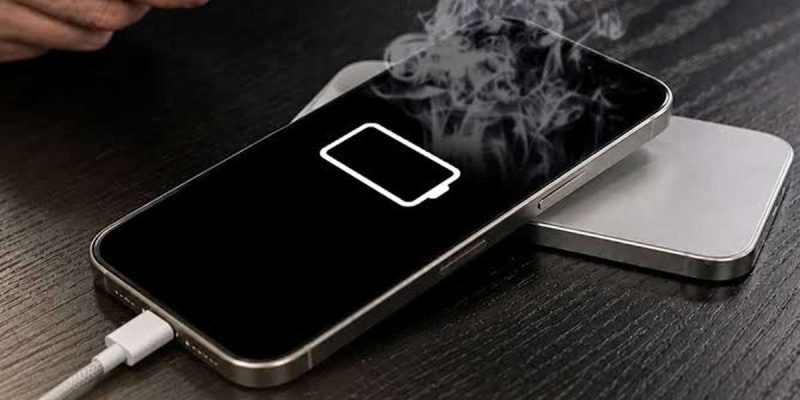
Charging involves moving electrical energy into a battery, and some of that energy always turns into heat. It is simple physics. Faster charging produces more heat, because more power flows in at once. A phone that feels slightly warm after a while on the charger is behaving normally.
Modern phones are built to manage this. They monitor temperature constantly and slow charging down if things get too warm. This is a protective feature, not a sign of failure.
Normal warmth versus too hot
As a simple guide, normal warmth feels like a mug of tea that has cooled slightly. It is noticeable, but you can hold the phone comfortably. It is more likely to happen during fast charging or when the battery is low.
Too hot feels uncomfortable to hold, especially at the back or near the charging port. If you would hesitate to keep it against your face, that is a sign something is adding to the heat. Pay particular attention if it happens often, if it gets worse over time, or if it comes with other symptoms such as swelling, a strange smell or sudden shutdowns.
The most common reasons your phone gets hot while charging
1. You are using the phone while it charges
Gaming, streaming video, using navigation or making video calls while plugged in forces the phone to handle two heavy jobs at once. The processor creates heat, the charging creates heat, and the two add up. If you notice heat, the easiest fix is to stop using the phone and let it charge in peace.
2. A thick case that traps heat
Some cases act like a small blanket. Heat cannot escape, so the phone stays warm for longer. Taking the case off while charging can make a noticeable difference.
3. Charging on soft or hot surfaces
Charging under a pillow, on a bed or sofa, or in direct sun stops heat from escaping. A hard, cool surface works much better. Never cover a charging phone.
4. Fast charging or high-wattage chargers
Fast charging creates more heat, especially during the early phase when the battery is low. This is expected, and the phone controls it. If heat bothers you, use a slower charger for overnight charging and save fast charging for when you are in a hurry.
5. Wireless charging
Wireless charging is less efficient than a cable, so more energy is lost as heat. Misaligned pads make it worse, because the phone and pad work harder to connect. If your phone gets hot on a wireless pad, try a cable for a while and see whether it improves.
6. Background apps and software problems
Sometimes an app keeps running in the background and keeps the processor busy. After a big system update, a phone may spend a day or two optimizing apps and photos, which can also cause warmth. Check your battery settings to see whether any app uses far more power than expected, and restart the phone.
7. A poor quality charger or cable
Cheap chargers and damaged cables can deliver power unevenly and generate extra heat. Use the original charger, or a trusted brand that supports your phone. Replace any cable that is frayed, bent or has a loose connector.
8. An aging or damaged battery
As a battery wears out, it becomes less efficient and heats up more easily. If your phone is older and runs hot even with light use, the battery may be the issue. A swollen battery is a more serious case, and I cover it below.
What to do when your phone is too hot
- Unplug the phone if it feels uncomfortably hot, and stop using it.
- Take off the case and move the phone to a hard, cool, shaded surface.
- Close heavy apps and turn on airplane mode if you can, to reduce activity.
- Do not put it in a fridge or freezer. Sudden temperature changes can cause condensation and damage.
- Once it cools down, restart and charge again with the original cable and charger, without using the phone.
When to worry
Stop using the phone and get it checked by a professional if you notice any of the following.
- The phone feels very hot, even when you are not using it.
- The back panel looks bulged, or the screen is lifting at the edges.
- You smell something burning or chemical.
- The phone shuts down suddenly or the battery drains very quickly.
- The charger or cable itself becomes very hot or shows burn marks.
A swollen or damaged battery can be dangerous. Do not charge it, do not press on it, and do not try to pierce it. Take it to an authorized service center.
Simple habits to keep your phone cool while charging
- Use the charger and cable that came with your phone, or a reputable replacement.
- Charge on a hard, flat surface in a cool, shaded spot.
- Remove thick cases while charging.
- Avoid gaming or video calls while plugged in.
- Do not leave the phone in a hot car or in direct sun.
- Keep your software up to date, since updates often improve thermal management.
Does heat while charging shorten your battery life?
Over time, yes. Heat is the main thing that wears lithium-ion batteries, and every time the phone runs hot during charging, it adds a little extra wear. You will not notice it after one hot evening. But after hundreds of charging cycles, a phone that is regularly warm will lose capacity faster than one that stays cool. That is why the habits above matter. They cost almost nothing, and they can add months to the useful life of your battery.
Final thoughts
A warm phone on the charger is normal, and most of the time there is nothing to worry about. The key is paying attention to how hot it gets, how often, and whether anything else seems off. Small changes, like removing the case or putting the phone down while it charges, solve most heat problems and protect your battery for the long run.
Frequently asked questions
Is it normal for a phone to get hot while charging?
Mild warmth is normal. A phone that is too hot to hold comfortably is not, and the cause should be checked.
Can a hot phone damage the battery?
Heat speeds up battery wear over time, which is why phones slow charging when they get warm. Keeping it cool helps the battery last longer.
Does fast charging make the phone hotter?
Yes, it generates more heat than slower charging. This is expected, and the phone manages it automatically.
Is it safe to charge my phone overnight if it gets warm?
If it is only slightly warm and uncovered on a hard surface, yes. If it gets very hot, find the cause first and avoid overnight charging until it is fixed.
Views: 0

You may also like
How Much RAM Does Your Android Really Need in 2026
How to Clean Your Android Charging Port Without Damaging It
How to Clear Cache on Android Without Losing Anything
More in:Gadgets
How to Find Which App Is Draining Your Android Battery
Why Your Android Phone Stops Charging at 80 Percent

How Location Services Quietly Drain Your Android Battery

TecRounder is a blog that shares New Technology news from around the world (hence the name TecRounder), including the most recent mobile and gadget information: smartphone features, specifications, and more. You can find the latest technology updates here, including the most recent information on smartphones, laptop computers, and other electronic devices.