How to Use Your Phone Camera to Spot Things You’d Otherwise Miss
 By
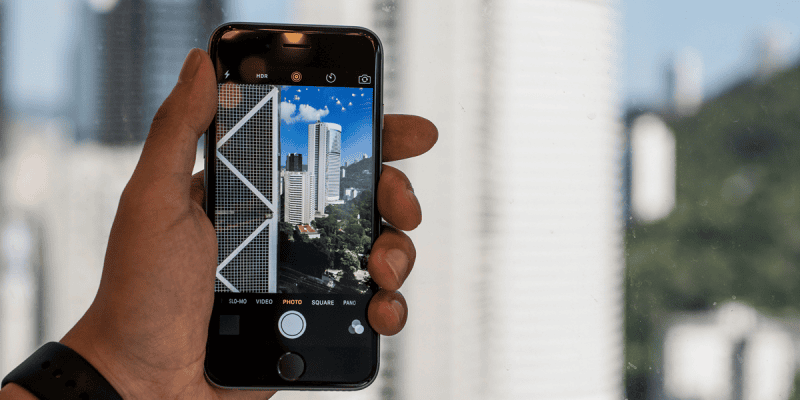
By The camera on your phone is most commonly used for documentation — capturing moments, photographing things you want to remember. But it’s also a remarkably effective tool for seeing: noticing details, solving problems, and perceiving things that the eye-brain system, optimised for efficiency rather than observation, would otherwise gloss over.
The Camera as Magnifier
Your phone camera with zoom can function as a magnifier for anything too small to read or see clearly. Price tags in crowded shelves, fine print on documents, small text on appliance labels, the tiny numbers on circuit breakers, the barely visible content behind museum glass — zoom in, take a screenshot, and read it clearly.
The screenshot approach specifically is useful for anything you need to read multiple times or compare later: product information, instructions, anything where you want to look at it repeatedly without having to return to the original.
Google Lens layer on the camera: pointing Google Lens at fine print and selecting the text extracts it as copyable text, which is more useful than a photo for any information you want to reference.
Inspecting Hard-to-See Areas
Your phone camera can access angles your eyes can’t easily reach. The back of furniture, the interior of a cavity wall through a small hole, under appliances, inside containers — holding your phone with the camera facing a direction your head can’t go, then looking at the screen, shows you what’s there.
This is genuinely useful for: inspecting pipes and plumbing for leaks in tight spaces, checking the state of insulation or wall internals through access points, looking under cars, inspecting gutters from ground level using zoom, checking the back of a laptop or TV without pulling it fully forward.
Inspection Before Significant Purchases
Second-hand items, rental properties, used cars — photographing everything systematically before committing creates a record that’s both useful for later reference and slightly changes your attention during inspection. When you’re taking a photo of something, you look at it more carefully than when you’re just observing it. Turning your walkthrough of a property into a systematic photo record means you genuinely see more during the walkthrough.
Wildlife and Nature Observation
The zoom capabilities of modern phone cameras allow you to photograph birds, butterflies, and small animals without disturbing them. The photographs then serve as records for identification (Google Lens identifies birds, butterflies, and plants with surprising accuracy) and personal documentation.
Many naturalists find that photographing forces a quality of attention that mere observation doesn’t produce. The intention to get a good photograph makes you notice light direction, the creature’s posture, the context — details that observation alone often misses.
The Camera Roll as Memory Extension
The photos you take of small things — a parking bay number, a car park level, the number plate of a rental car, the configuration of a cable before you remove it, the position of items before disassembling something — are the camera as practical memory aid.
These aren’t intended as artistic or meaningful photos. They’re momentary information captures that take two seconds and prevent the “where did I park?” or “how was this connected?” problem. Used routinely, this habit makes daily navigation significantly smoother.
Slowing Down Perception
There’s a photography exercise that transfers to phone use: photograph one thing per day that you would normally walk past without noticing. The specific challenge of finding something worth photographing that you’d normally ignore changes the quality of attention you bring to ordinary environments.
Many people who do this for a week or two report noticing more in their daily environment generally — not just when they have their phone out. The exercise trains the habit of seeing rather than just looking.
Views: 17

You may also like
Is Your Android Battery Calibration Off? How to Fix Wrong Percentages

Why Your Android Phone Charges So Slowly and What Actually Fixes It

How to Use Your Phone to Learn About Nutrition Without Getting Confused
More in:Gadgets

How to Use Your Phone to Document and Share Your Creative Work

How to Use Your Phone to Prepare for a Job Interview

How to Use Your Phone to Manage Your Pet’s Health Records and Vet Visits

TecRounder is a blog that shares New Technology news from around the world (hence the name TecRounder), including the most recent mobile and gadget information: smartphone features, specifications, and more. You can find the latest technology updates here, including the most recent information on smartphones, laptop computers, and other electronic devices.