How to Use Your Phone to Manage Your Time When You Work From Home
 By
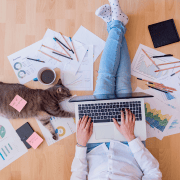
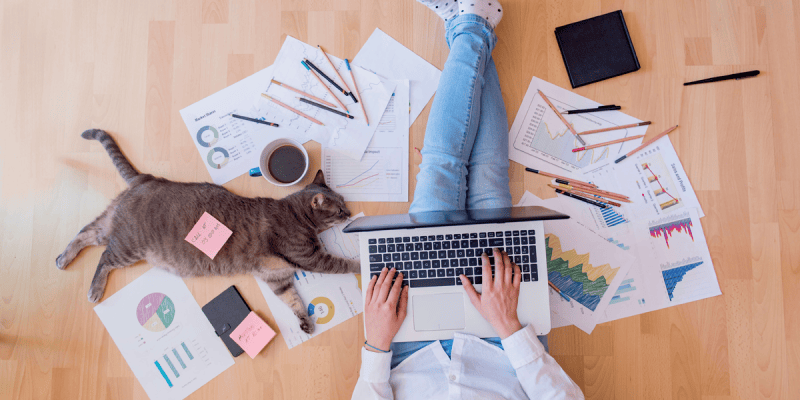
By Working from home sounds like a time management problem that solves itself — no commute, flexible schedule, work in comfortable clothes. In practice, it often creates different and harder time management problems: the blurred boundary between work and personal time, the difficulty of concentrating when home distractions are constant, and the loss of the natural structure that an office environment provides.
Your phone is involved in both the problem and the solution.
The Boundary Problem
The most common WFH time management complaint is that work expands to fill all available time. Without the physical boundary of leaving the office, the workday has no natural end. Emails arrive in the evening. Colleagues expect responses on weekends. You find yourself checking work messages at 10pm because the phone is right there.
The phone-based solutions mirror the solutions discussed in the email and availability management articles: Work Profile on Android creates a digital version of the physical office that you can switch off at a specific time. Focus Modes on iPhone block work apps outside work hours. Scheduled DND protects evenings from work notifications.
The most important addition for WFH specifically: a firm end-of-day ritual that includes switching off work communication. 5:30pm (or whenever your day ends), close the laptop, switch off the work profile on your phone, and do something physically different. The transition is the thing — you need a version of the commute home as a signal that work is over. A short walk, a specific evening activity, anything that creates a temporal and physical boundary.
Time Blocking Without the Structure of an Office
Office environments provide accidental time structure: the 10am meeting shapes your morning around it, the lunch break is a natural midday pause, the rhythm of colleagues starting and ending their day provides reference points. WFH removes most of this.
Rebuild it deliberately. Block your calendar on your phone with specific times for: focused work (the hours when your cognitive performance is highest, protected from meetings and interruptions), communication time (when you process emails and messages, in batches rather than continuously), and breaks (actual breaks, away from screens).
Treat these blocks the same way you’d treat a meeting with someone else — not as suggestions but as commitments.
Managing Domestic Interruptions
If you live with other people, “I’m working from home” doesn’t always communicate “I’m unavailable.” The phone can help in a specific way: when you need uninterrupted focus time, put your phone on Do Not Disturb and leave it in a specific location as a signal. “When my phone is in the study on DND, I’m in focused work mode and need no interruptions” is a communicable system that others in the house can learn to respect.
Using Phone Tools for WFH Productivity
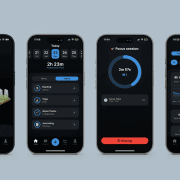
The Pomodoro technique (25 minutes focused work, 5-minute break) works especially well from home because the structured breaks prevent the “just one more thing” pattern that makes home work hours expand. A phone timer running Pomodoro sessions creates the rhythm that an office environment provides through meetings and social cues.
Regular check-ins with colleagues via video call maintain the social connection that prevents WFH isolation. Scheduling these at regular times (daily standup, weekly team check-in) rather than ad hoc provides structure. Using your phone for these rather than always a laptop removes some of the formality and makes brief check-ins easier.
The Commute Replacement
Many WFH workers find it useful to create an artificial commute — a 20-minute walk at the start and end of the working day that serves as the physical and mental transition the real commute provided. A podcast or music on your phone makes this pleasant. The bookend of physical activity and audio content creates a cleaner break between work mode and home mode than simply opening the laptop in the kitchen at 9am and closing it at an ambiguous time in the evening.
Views: 0

You may also like
How to Use Your Phone Camera to Spot Things You’d Otherwise Miss

How to Use Your Phone to Build Better Habits That Actually Stick

How to Use Your Phone to Help You Through a Difficult Life Transition
More in:Gadgets

How to Use Your Phone to Manage Your Mental Load and Stop Forgetting Things

How to Use Your Phone to Reduce Your Environmental Impact
How to Use Your Phone to Make Better Decisions

TecRounder is a blog that shares New Technology news from around the world (hence the name TecRounder), including the most recent mobile and gadget information: smartphone features, specifications, and more. You can find the latest technology updates here, including the most recent information on smartphones, laptop computers, and other electronic devices.