Phone Not Charging When Plugged In? 9 Fixes Before You Panic
 By
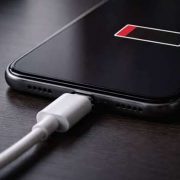
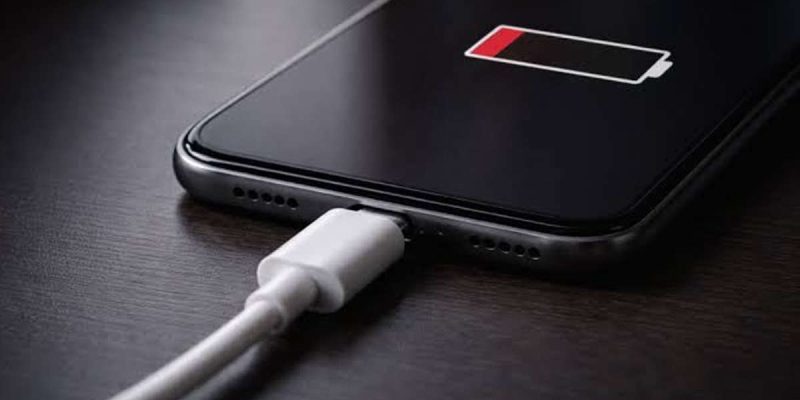
You plug your phone in and nothing happens. No lightning bolt, no vibration, no percentage creeping upward. Maybe the battery was already low, and now the panic starts. Is the phone dead? Is it the charger? Will this cost you a repair?
Take a breath. A phone that will not charge is almost always caused by something simple, and the fix is often free. This guide walks you through nine checks in the best order, starting with the easiest. Most people solve it by step four.
Before you start: stay calm and rule out the obvious
Check that the wall socket works by plugging in another device, like a lamp. Make sure any power switch on the socket is on. If you are using a power strip, try plugging straight into the wall. It sounds basic, but a surprising number of charging problems are simply a dead outlet.
Fix 1: Give it a few minutes
If your battery has gone completely flat, the phone may show nothing at first. A deeply drained battery needs a little time to wake up before the charging icon appears. Leave it plugged in for 10 to 15 minutes before deciding it is not working.
Fix 2: Try a different cable
Cables fail more often than phones do. They wear out inside where you cannot see damage, especially near the plug. Borrow a cable that you know works, ideally the one that came with your phone, and try again. If the phone starts charging, the old cable was the problem.
Fix 3: Try a different charger or power source
Next, swap the wall adapter. If you have another charger that supports your phone, use it. Avoid charging from a weak source such as an old computer USB port or a cheap car adapter, because they may not provide enough power for your phone to start charging.
Fix 4: Check and clean the charging port
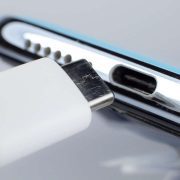
This one fixes more phones than people expect. Dust, pocket lint and crumbs pack into the port and stop the plug from sitting fully inside. Switch the phone off, shine a flashlight into the port, and look for grey fluff.
If you see debris, gently scrape it out with a wooden or plastic toothpick, running it along the inside walls. Do not use metal, which can damage the contacts. Then plug the cable in again. If it clicks in more firmly than before, you have probably found the cause.
Fix 5: Restart the phone
Software can get stuck. Restart the phone, and if it will not respond, hold the power button for 10 to 20 seconds to force a restart. Some phones use power and volume down together. After it reboots, plug it in again.
Fix 6: Look for a moisture or liquid warning
Many phones detect moisture in the port and block charging to prevent damage. If you see a message about liquid or moisture detected, unplug the cable, let the phone dry in open air for a few hours, and try again. Do not put it in rice, which does not help and can leave dust in the port. Do not force charging if the warning appears, since that is exactly what the warning is meant to stop.
Fix 7: Remove the case and check the connectors
Thick or badly fitting cases can stop the plug from reaching the port. Take the case off and try again. Also inspect the cable end for bent pins, burn marks or discoloration. A damaged connector should be replaced, not reused.
Fix 8: Update the software and check for glitches
If the phone charges for a few minutes and then stops, or the battery percentage behaves strangely, a software bug may be involved. Once the phone has some charge, install any pending updates. If the problem started right after an update, check for a follow-up patch. You can also boot into safe mode to see whether a recently installed app is interfering.
Fix 9: Try wireless charging, if your phone supports it
If your phone has wireless charging and it works, that suggests the battery is healthy and the problem is the port or cable. This is a useful test and a temporary workaround while you sort out the port.
When it is more than a simple fix
If none of these steps help, the problem may be hardware. Signs include a loose or wobbly port, a cable that only works at certain angles, a phone that charges only for a few seconds, or a battery that looks swollen. In those cases, a technician can replace the charging port or battery, and that is usually far cheaper than buying a new phone.
If the phone looks puffed up, feels very hot, or smells strange, stop trying to charge it and take it to a professional. Swollen batteries can be dangerous.
How to stop this from happening again
- Use good quality cables and replace them when they fray.
- Do not yank the cable out by the wire. Pull on the plug.
- Keep your phone out of the dust, and clean the port every few months.
- Avoid charging in humid places or with wet hands.
- Do not let the battery hit zero often, since deep drains wear it faster.
What the screen is trying to tell you
Pay attention to what your phone shows when you plug it in. A charging icon with a slow-charging note means power is arriving, just weakly, so look at the cable and adapter. A battery icon with a warning symbol often points to heat or moisture. A completely blank screen after 15 minutes suggests either a very flat battery that needs more time, or a power path that is broken, like a dead cable or port. Noting what you see makes it much easier to work out where the fault sits.
A quick word on cheap chargers
It is tempting to grab the cheapest charger at a gas station or market stall, but poor quality adapters can be unreliable and, in some cases, unsafe. If a charger gets very hot, buzzes loudly or smells odd, stop using it. Spending a little more on a reputable brand is cheaper than replacing a damaged phone.
Final thoughts
A phone that will not charge feels like a disaster, but it is usually a small issue in disguise. Go through the checks one at a time, from the wall socket to the port, and you will probably have your phone charging again within a few minutes. If not, you will at least know exactly what to tell a technician, which saves time and money.
Frequently asked questions
Why is my phone not charging even though it is plugged in?
The most common causes are a worn cable, a weak charger, lint in the charging port or a moisture warning. A software glitch or aging battery can also be responsible.
How long should I wait if my phone is completely dead?
Leave it plugged in for 10 to 15 minutes. A fully drained battery sometimes needs a short time before it shows any sign of charging.
Can a dirty charging port stop charging completely?
Yes. Lint can block the connection entirely. Cleaning it gently with a wooden toothpick often solves the problem right away.
Should I replace my phone if it will not charge?
Usually not. Try the simple fixes first. If the problem is a port or battery, a repair is generally a better value than a new phone.
Views: 0

You may also like

How to Make an Old Android Phone Run Like New Again

Why Android Keyboard Lags and How to Fix It
Why Your Android Phone Gets Hot While Charging and When to Worry
More in:Gadgets
How Much RAM Does Your Android Really Need in 2026
How to Clean Your Android Charging Port Without Damaging It
How to Clear Cache on Android Without Losing Anything

TecRounder is a blog that shares New Technology news from around the world (hence the name TecRounder), including the most recent mobile and gadget information: smartphone features, specifications, and more. You can find the latest technology updates here, including the most recent information on smartphones, laptop computers, and other electronic devices.