How to Make an Old Android Phone Run Like New Again

 By
There is a drawer in many homes with an old phone in it. Maybe it is a phone you replaced, or one you still use, but it has become slow and annoying. You do not want to spend a lot on a new one, and you suspect it has more to give. You are probably right.
An older Android phone cannot match a new flagship, but with some care it can feel a great deal better. This guide gives you a practical plan to speed up an old Android phone, in order, from free fixes to low-cost upgrades, and tells you honestly when it is time to let go.
Step 1: Back up everything first
Before you make big changes, copy your photos, contacts and important files to the cloud or a computer. This protects you if you decide to reset the phone later. Check that the backup finished before moving on.
Step 2: Free up storage
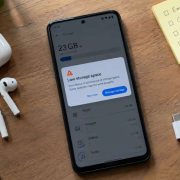
Old phones are often full. Photos, videos, downloads and app data pile up over the years, and a nearly full phone is a slow phone. Move photos and videos to cloud storage or a computer, and delete them from the phone. Clear the Downloads folder, and remove files you no longer need. Aim to keep at least 10 to 15 percent of storage free.
Step 3: Remove apps you do not need
Look through your app list and remove everything you have not used in months. Old games, shopping apps and duplicates all add weight. For apps you want to keep but use rarely, restrict background activity and turn off notifications.
Step 4: Replace heavy apps with lighter ones
Many popular apps have lite versions designed for phones with less memory. These use less storage, memory and data. For some services, the mobile website works just as well, and takes up no space. Swapping a few heavy apps for lighter ones can make a real difference on an older phone.
Step 5: Clear cache
Clear the cache of your biggest apps, such as your browser, social media and streaming apps. This is safe and often frees up space and fixes glitches. Remember to choose Clear cache, not Clear data.
Step 6: Update, but with care
Install security and system updates when they are available, because they protect you and often fix bugs. If your phone is very old and no longer receives updates, be more careful about what you install and what you do on it, such as banking. Update your apps too, but if a new version of an app is too heavy for your phone, consider an older or lighter alternative.
Step 7: Reduce animations and visual effects
Turn off live wallpapers, fancy widgets and heavy themes. In Developer options, you can shorten animation scales to 0.5x or turn them off, which makes the phone feel quicker. Choose a standard refresh rate if your phone offers a choice.
Step 8: Manage background activity
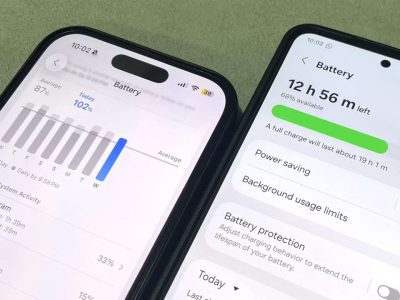
Open Battery settings and restrict background use for apps you do not need running constantly. Turn off auto-sync for accounts you rarely check. Fewer background tasks free up memory and processing power.
Step 9: Replace the battery
This is the upgrade that surprises people. An old battery can cause slowdowns, sudden shutdowns and poor battery life. A new battery from an authorized service center or a trusted repair shop can make an older phone feel refreshed. It usually costs far less than a new phone.
Choose a quality part, since cheap batteries can be unsafe and wear out quickly.
Step 10: Consider a factory reset
If the phone is still slow after the steps above, a factory reset can clear years of clutter. Back up your data, reset the phone and set it up as new. Install only the apps you really need, one at a time. Skip cleaner and booster apps.
Step 11: Add storage, if your phone supports it
Some older Android phones have a microSD card slot. A decent memory card gives you space for photos, videos and music, and takes pressure off the internal storage. Choose a reputable brand, and make sure it suits your phone.
Step 12: Keep it cool and clean
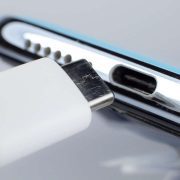
Heat slows phones down, and dust in the charging port causes charging issues. Keep the phone out of the sun, avoid charging it under pillows and clean the charging port gently with a wooden toothpick. A clean, cool phone performs better.
How fast will it get?
The results depend on the phone. Cleaning up, a fresh battery and a reset can make a big difference to a phone that is slow because of clutter. If the processor and memory are simply too weak for modern apps, you will see smaller gains. The goal is not to turn it into a new phone, but to make it comfortable for everyday tasks like calls, messages and browsing.
Other ways to give an old phone a second life
Even if your old phone is not fast enough for daily use, it can still be useful.
- A bedside alarm clock or music player.
- A dedicated camera or a security camera at home.
- A remote for your TV or smart home devices.
- A child’s learning device, with limited apps and parental controls.
- A backup phone for travel or emergencies.
Wipe your data before giving or recycling a phone, and take it to a proper recycling point when it truly reaches the end.
When it is time to upgrade
Consider a new phone if it no longer gets security updates, if it cannot run the apps you need, if the screen or ports are failing, or if repairs would cost more than the phone is worth. Even then, a good second-hand or budget phone is often a better value than a flagship.
A budget for reviving an old phone
Most of the steps above are free. The paid ones are a battery replacement and, optionally, a memory card. A battery is usually a modest cost compared with a new phone, and many people find it is the single most effective upgrade. Before you spend anything, ask the repair shop for a price in advance, and make sure the phone is otherwise worth saving.
Be patient after a cleanup
After a big cleanup or reset, your phone may feel a little slow for the first day, because it is indexing files, updating apps and rebuilding its cache. Leave it on Wi-Fi and plugged in for a few hours, and judge its speed after that. Early impressions can be misleading, and the real improvement often shows on day two.
Final thoughts
A slow old phone is not always a lost cause. Free storage, remove clutter, fix the battery and treat it kindly, and it may serve you well for another year or two. Try these steps, and you may be surprised how much life is left in the phone you thought was finished.
Frequently asked questions
Can an old Android phone be made faster?
Often yes, by freeing storage, removing apps, replacing the battery and resetting the phone.
Is it worth replacing the battery in an old phone?
Usually, if the rest of the phone works well. It is often cheaper than a new phone and can improve performance.
Should I factory reset an old phone?
It can help a lot when slowness is caused by clutter. Back up first, and install apps slowly.
How do I know when to replace my phone?
When it no longer gets security updates, cannot run needed apps or repairs cost too much.
Views: 0

You may also like
Why Android Keyboard Lags and How to Fix It

Why Your Android Phone Gets Hot While Charging and When to Worry
How Much RAM Does Your Android Really Need in 2026
More in:Gadgets
How to Clean Your Android Charging Port Without Damaging It
How to Clear Cache on Android Without Losing Anything
How to Find Which App Is Draining Your Android Battery

TecRounder is a blog that shares New Technology news from around the world (hence the name TecRounder), including the most recent mobile and gadget information: smartphone features, specifications, and more. You can find the latest technology updates here, including the most recent information on smartphones, laptop computers, and other electronic devices.