How to Use Android’s NFC for Contactless Payments, Tags, and More
 By
By NFC (Near Field Communication) is the technology behind contactless payments, but on Android it can do much more — automate your phone based on location, share files and contacts instantly, and interact with smart home devices. Here’s a complete guide to what NFC can actually do.
Enable NFC and Check It’s Working
Settings > Connections > NFC and Contactless Payments (location varies by manufacturer). Toggle NFC on. Test it by attempting a contactless payment or by opening the NFC scanner with an NFC-enabled card nearby. If NFC isn’t detecting, the sensor is typically located near the back camera — position objects there rather than toward the bottom of the phone.
Set Up Google Pay for Contactless Payments
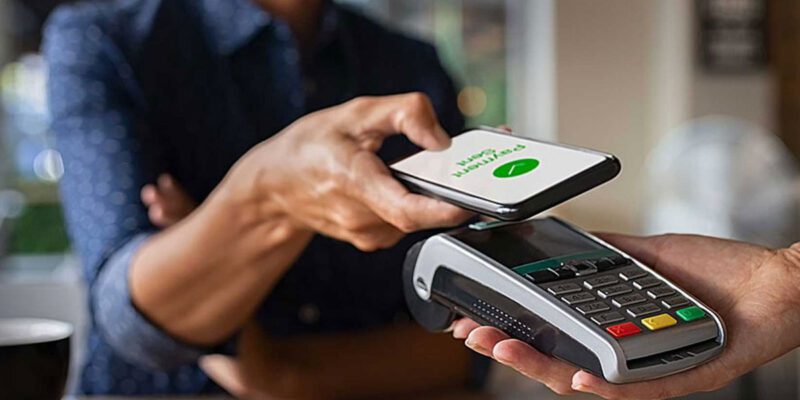
Download Google Wallet, add your debit or credit cards (you’ll need to verify them with your bank), and set Google Pay as your default NFC payment app in Settings > NFC > Default Payment App. To pay, hold the back of your phone to the payment terminal when it shows the contactless symbol. You don’t need to unlock the phone first on most Android devices.
Android Beam and Nearby Share for File Transfer
NFC enables quick pairing for file sharing. Nearby Share (Android’s version of AirDrop) uses a combination of NFC, Bluetooth, and Wi-Fi to transfer files quickly between Android devices. Enable it in Settings > Connected Devices > Connection Preferences > Nearby Share. Hold two Android phones near each other and both will detect the sharing option automatically.
NFC Tags for Home Automation
Programmable NFC tags cost around $0.50-1 each and can be written with automation instructions. Place one on your nightstand: tap your phone to it at bedtime and it automatically enables Do Not Disturb, sets an alarm, dims brightness, and opens your sleep app. Place one in your car: tap to connect to car Bluetooth, open maps, and start your driving playlist. Use the NFC Tools app to write automation instructions to tags.
Contact and URL Sharing via NFC
Write your contact information or a URL to an NFC tag using NFC Tools or a similar app. Place the tag on a business card, a product, or anywhere you want to share information instantly. Anyone with an NFC-enabled phone can tap the tag to receive your contact details or visit a URL — no app required on their end.
NFC for Smart Lock Pairing
Many smart locks support NFC tap-to-unlock. If your home has an NFC-compatible smart lock, you can tap your phone directly to the lock to unlock rather than opening the lock app and tapping through several screens. This is faster than most other smart lock methods and works without a network connection.
Security Considerations for NFC Payments
NFC payments require your phone to be within 4cm of the payment terminal — they cannot be skimmed from a distance despite myths to the contrary. Each NFC payment generates a unique encrypted token rather than transmitting your actual card number. The security model is equivalent to a physical contactless card. Requiring fingerprint or PIN for payments (configurable in Google Wallet) adds an additional layer for higher-value transactions.
Views: 54

You may also like
How to Teach Your Children About Phone Safety Without Them Tuning You Out
How to Use Your Phone to Create Content for Social Media Without It Taking All Day
How to Make Your Phone Work Better in Rural Areas With Poor Signal
More in:Gadgets

How to Use Your Phone to Track and Improve Your Posture
How to Use Your Phone to Become a Better Writer

How to Use Your Phone to Find a Therapist or Mental Health Support

TecRounder is a blog that shares New Technology news from around the world (hence the name TecRounder), including the most recent mobile and gadget information: smartphone features, specifications, and more. You can find the latest technology updates here, including the most recent information on smartphones, laptop computers, and other electronic devices.