How to Use Your Phone While Traveling Internationally Without Huge Bills
 By
By International roaming charges have bankrupted people’s travel budgets for decades. A week abroad with your normal phone plan, using it casually, can generate bills of hundreds of dollars in countries without roaming agreements. Even in countries with controlled roaming (the EU, for example), the costs add up quickly.
Here’s how to avoid this completely.
Option 1: eSIM (The Cleanest Modern Solution)
eSIM technology allows you to add a virtual SIM card to your phone without needing a physical card. Services like Airalo, Holafly, and Nomad sell regional or country-specific data plans that you purchase on your phone before departure and activate on arrival.
The process: download the Airalo app, search for your destination, purchase a data plan (typically $5-15 for a week of data in most destinations), scan the QR code to install the eSIM, activate it when you arrive. Your home number still receives calls and texts via your original SIM, and data runs through the eSIM plan.
This is genuinely the best option for most travellers. No physical SIM swapping, no losing your home number, and competitive pricing for data. Requires that your phone supports eSIM (most phones released after 2019 do) and that your carrier has unlocked it.
Option 2: Local SIM Card
At most airports and convenience stores in the destination country, you can buy a local SIM card with a data plan. In the UK, Lycamobile or SMARTY cards are widely available. In most European countries, local carriers sell tourist SIMs. In Southeast Asia, you buy them at the airport or convenience store for a few dollars.
The trade-off: you lose your home number for the duration. Calls and texts to your normal number won’t arrive unless you set up call forwarding to your local temporary number (which costs your home carrier’s international rates).
For purely data use — navigating, messaging through apps, browsing — this is often the cheapest option.
Option 3: Check Your Carrier’s International Add-On
Most carriers offer international data add-ons that are reasonable for short trips. T-Mobile includes basic international data on many plans. AT&T sells International Day Passes. EE and O2 in the UK sell travel add-ons.
These are more expensive than eSIM or local SIM per gigabyte but may be the simplest option for a short trip where you’ll use limited data. Check the specific pricing for your destination before assuming it’s reasonable.
Option 4: Wi-Fi Only
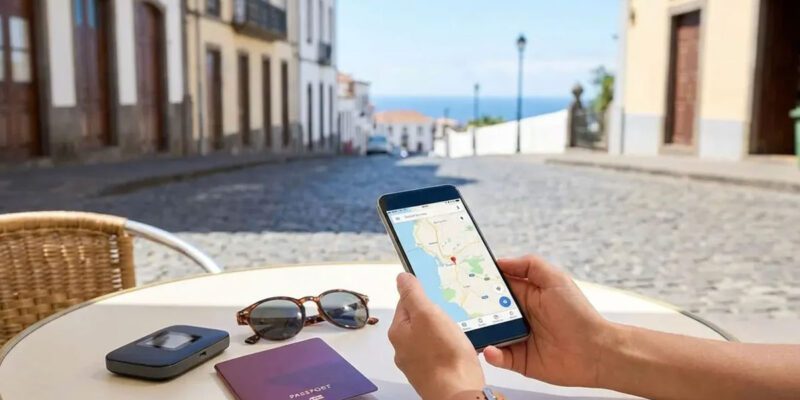
For trips where you’re mostly in hotels, restaurants, and tourist areas, using Wi-Fi only and enabling airplane mode otherwise is completely viable. Download offline maps before you go (Google Maps allows full navigation offline). Use Wi-Fi for messaging and browsing. Accept that you’ll need to seek out a connection for anything requiring internet.
The limitation is navigation between Wi-Fi spots and the inability to quickly look things up in transit. Manageable for experienced travellers, stressful for first-timers.
Practical Steps Before You Leave
Enable Wi-Fi Calling before you go. This lets you make and receive calls over any Wi-Fi connection at no extra charge.
Download offline maps for your destination. In Google Maps: Profile > Offline Maps > Select Your Own Map.
Set your social media apps to not auto-play videos. A few auto-playing videos on a roaming connection can eat through a data plan.
Tell your bank and credit card company you’re travelling. While not phone-related, having a card blocked abroad because of “suspicious foreign transactions” is a stress you can prevent with a two-minute phone call before departure.
Avoiding the Roaming Surprise
The most common international bill shock comes from not realising your phone is on roaming — you thought airplane mode was on, it wasn’t, apps ran in the background, and you were charged for megabytes you didn’t consciously use.
When you land, put your phone in airplane mode and then explicitly re-enable only what you need. If you’re on a local SIM, keep your home SIM’s mobile data disabled in settings.
Views: 43

You may also like
Is Your Android Battery Calibration Off? How to Fix Wrong Percentages

Why Your Android Phone Charges So Slowly and What Actually Fixes It

How to Use Your Phone to Learn About Nutrition Without Getting Confused
More in:Gadgets

How to Use Your Phone to Document and Share Your Creative Work

How to Use Your Phone to Prepare for a Job Interview

How to Use Your Phone to Manage Your Pet’s Health Records and Vet Visits

TecRounder is a blog that shares New Technology news from around the world (hence the name TecRounder), including the most recent mobile and gadget information: smartphone features, specifications, and more. You can find the latest technology updates here, including the most recent information on smartphones, laptop computers, and other electronic devices.