 By
By Families share services. Streaming subscriptions, utility account credentials, Wi-Fi passwords, shared financial account access — some passwords genuinely need to be shared with people you trust. The problem is how most people share them: text messages, sticky notes, WhatsApp, or just telling someone and hoping they remember.
These methods are insecure, unreliable, and make it difficult to update shared passwords when they change. Here’s a better approach.
Why the Common Methods Are Problematic
Text messages and WhatsApp: these are typically not end-to-end encrypted for SMS, and even WhatsApp which is encrypted stores your messages on phone and possibly backed up to cloud services. A password in your message history is accessible to anyone who gets into your phone or cloud backup.
Email: completely insecure for sending passwords. Email is not encrypted in transit for most providers and is highly targetable for interception.
Verbal sharing: someone has to write it down somewhere. It either goes into an insecure note or someone forgets it and asks again.
Option 1: Family Sharing in a Password Manager
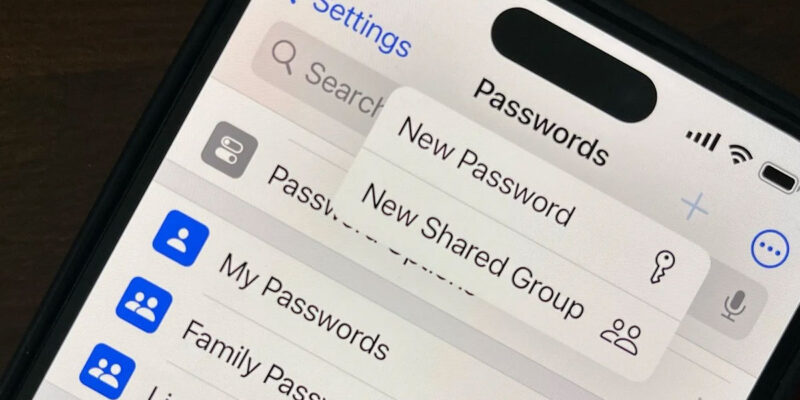
Bitwarden has a free Organisation tier that lets up to two people share passwords securely. For larger families, the Bitwarden Families plan is $3.33/month for up to six users and allows unlimited sharing of passwords between family members through the encrypted vault.
1Password Families ($4.99/month for five users) has an excellent shared vault feature specifically designed for family sharing — you maintain your personal passwords privately and share specific ones into the family vault. Family members can see and use shared passwords through their own 1Password accounts.
This is the cleanest solution: passwords are encrypted, updated in one place and immediately reflected for all shared users, and there’s a clear audit trail of who has access to what.
Option 2: The Family Password Note (Practical and Good Enough)
A more practical approach for families that won’t all adopt a password manager: keep a single shared password document in an encrypted cloud storage location.
Create a Google Doc or text file in a shared Google Drive folder. Enable two-factor authentication on the Google account that owns the folder. Share the folder with family members’ own Google accounts. Update the document when passwords change.
This isn’t as secure as a proper password manager but it’s dramatically better than text messages or sticky notes. The encryption is Google’s account security plus the access control of sharing with specific accounts.
Sharing Wi-Fi Passwords
Most people do this manually by telling family members the password. Better options:
iPhone to iPhone: go to Wi-Fi in Settings, select the network, and a Share Password option appears when another iPhone is nearby. Tap Share and the other person’s iPhone connects without seeing the password.
Android: go to Settings > Wi-Fi > tap your network > Share. A QR code appears that any phone camera can scan to connect instantly.
Router QR code: many modern routers let you print a QR code for your network from the router admin panel. Print it, frame it in the kitchen. Guests scan it to connect without you having to recite a password.
What Not to Share
Even with family, some credentials shouldn’t be shared: banking passwords (different family members should have their own access or joint accounts with separate logins), primary email accounts, and any account where the audit trail of who did what matters.
Sharing credentials for financial accounts creates practical problems when something goes wrong — you can’t tell who made which transaction, and banks typically don’t support joint authentication for the same account through the same login credentials.
For services that need shared family access, look for legitimate family plans with separate logins rather than sharing one login. This is cleaner and often no more expensive.
Views: 26

You may also like
Is Your Android Battery Calibration Off? How to Fix Wrong Percentages

Why Your Android Phone Charges So Slowly and What Actually Fixes It

How to Use Your Phone to Learn About Nutrition Without Getting Confused
More in:Gadgets

How to Use Your Phone to Document and Share Your Creative Work

How to Use Your Phone to Prepare for a Job Interview

How to Use Your Phone to Manage Your Pet’s Health Records and Vet Visits

TecRounder is a blog that shares New Technology news from around the world (hence the name TecRounder), including the most recent mobile and gadget information: smartphone features, specifications, and more. You can find the latest technology updates here, including the most recent information on smartphones, laptop computers, and other electronic devices.