 By
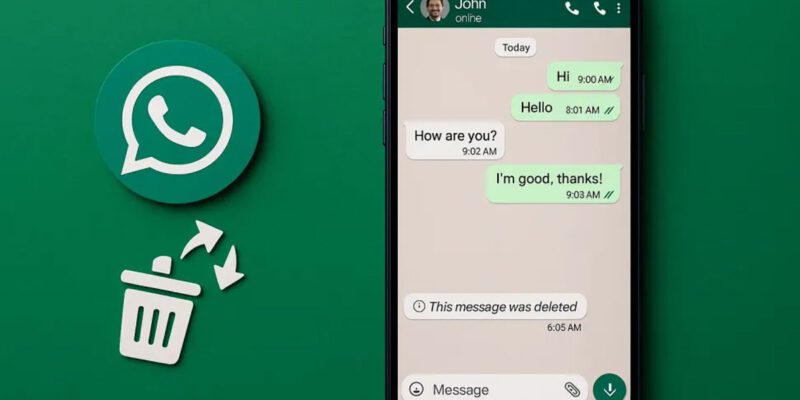
By You deleted a WhatsApp message — or an entire chat — and now you want it back. Maybe it was an important address, a key piece of information, or a conversation you didn’t realize mattered until after it was gone. And you don’t have a backup.
Let’s be honest upfront: recovering deleted WhatsApp messages without any backup is genuinely difficult and sometimes impossible. But there are legitimate things you can try before giving up. Here’s a realistic rundown.
Check If WhatsApp Made a Local Backup Automatically
Even if you never set up Google Drive backup, WhatsApp creates a local backup on your phone’s storage every night at 2 AM by default. On Android, go to your file manager and navigate to Internal Storage > WhatsApp > Databases. You’ll likely find files named msgstore.db and older backups named msgstore-YYYY-MM-DD.1.db. If the date matches before your deletion, there’s hope.
Restoring From a Local Backup (Android)
First, rename your target backup file to msgstore.db. Then uninstall WhatsApp completely and reinstall it from the Play Store. During setup, WhatsApp will detect the local database file and offer to restore from it. Tap Restore. This will bring back messages up to the point of that backup. You will lose messages received after that backup date.
Check Google Drive Backup
Open Google Drive, tap the three-line menu, and go to Storage > Backups. If you see a WhatsApp backup listed there, check the date. To restore it, uninstall WhatsApp, reinstall it, verify your phone number, and tap Restore when prompted. A recent Drive backup is the best-case scenario for most people.
Check If the Other Person Still Has the Message
This sounds obvious but a lot of people forget it. If you deleted a message from your side only (not Delete for Everyone), the person you were talking to still has it. You can ask them to screenshot or forward it back to you. For group chats, any member who didn’t delete the message still has it.
Look for Notification Previews in Your Phone
On Android, if you have a notification history app or if your phone has a built-in notification log, you might be able to find the preview text of a message that appeared as a notification. Go to Settings > Notifications > Notification History. This typically only shows the first 100 characters, but for short messages it might be enough.
Third-Party Recovery Tools: What to Know
There are apps and software tools that claim to recover deleted WhatsApp messages directly from storage. The honest reality is that these have become increasingly ineffective on modern Android phones because of encryption and how Android manages file deletion. Most of the ones you find through quick searches are either ineffective, require root access, or are outright scams. Be cautious, especially with tools that ask for payment or want access to your Google account.
For iPhones
On iPhone, your options are restore from an iCloud WhatsApp backup or restore from an iTunes/Finder backup of the entire phone. Both involve wiping and restoring your device, which means any data created after that backup date will be lost. There’s no local database equivalent on iOS that you can manually access without a jailbreak.
How to Prevent This in the Future
Enable Google Drive backup in WhatsApp under Settings > Chats > Chat Backup and set it to back up daily. Make sure you’re signed into a Google account with storage space available. This takes seconds to set up and can save you hours of stress later.
Views: 83

You may also like

How to Use Your Phone to Stay Financially Organised During a Life Event

How to Use Your Phone to Stay Motivated When You Feel Like Giving Up

How to Use Your Phone to Get More From Your Doctor’s Appointments
More in:Apps

How to Use Your Phone to Find a Therapist or Mental Health Support

How to Keep Kids Safe Online When They’re Using Your Phone

The Best Free Apps That Replace Paid Subscriptions You’re Probably Wasting Money On

TecRounder is a blog that shares New Technology news from around the world (hence the name TecRounder), including the most recent mobile and gadget information: smartphone features, specifications, and more. You can find the latest technology updates here, including the most recent information on smartphones, laptop computers, and other electronic devices.