How to Use Your Phone to Record and Remember Important Information
 By
By The human memory is poor at holding specific information reliably — phone numbers, addresses, instructions, reference details, moments you want to remember. Your phone is exceptional at holding this information. The gap between “this information matters” and “this information is reliably accessible when I need it” is closed by having good capture habits.
Here’s how to build them.
The Problem With Scattered Capture
Most people capture information in too many places: notes in their phone’s default app, screenshots in their camera roll mixed with a thousand other images, photos of documents mixed with personal photos, bookmarks across multiple browsers, and voice notes in yet another app. When you need the information, you can’t find it.
The goal is to choose one or two places for captured information and consistently use only those.
A Simple Two-System Approach
Capture system 1: Quick notes for things that need processing. A single note in Apple Notes, Google Keep, or Notion labelled “Inbox.” Everything goes here first: a thought, an address someone gives you verbally, a task you’ve just thought of, a quote you want to remember. Process this inbox weekly, moving things to their permanent location or deleting what doesn’t matter.
Capture system 2: Reference information in a searchable, organised location. This is where information lives once you’ve decided it’s worth keeping. Documents, research, meeting notes, important reference information, recipes, instructions.
The separation matters: capture is fast and frictionless (anything goes in the inbox). Organisation is thoughtful and periodic (weekly processing of the inbox into the reference system).
What to Capture (And What Not To)
Worth capturing: – Information someone gives you verbally that you’ll need later (addresses, account numbers, recommendations) – Instructions for things you don’t do often enough to remember (how to do X with a specific device or service) – Ideas you want to develop later – Information from physical documents (using your camera or document scanner) – Things you want to remember but that don’t need action
Not worth capturing: – Things you can google immediately when you need them (no need to save “what year did X happen” in your notes) – Information that will be outdated before you use it – Things you’ll remember easily without capturing them
Voice Notes for Fast Capture
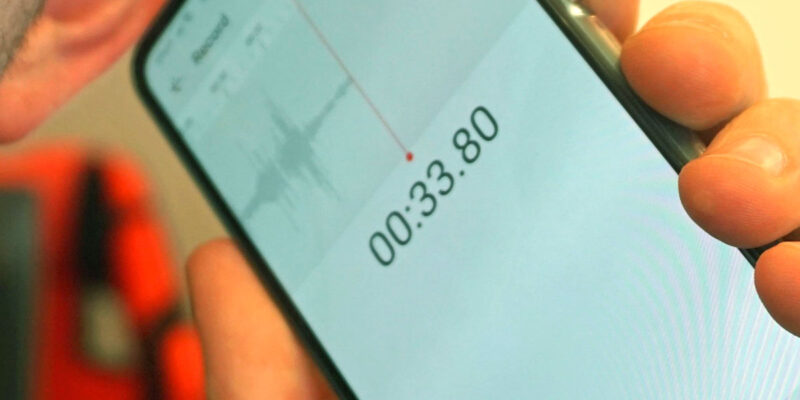
When both hands are occupied, when you’re driving, or when typing feels too slow, voice notes are the fastest capture method. The key is transcribing them or at least labelling them quickly afterward — voice notes with no label or transcription become unidentifiable archives that never get listened to.
Otter.ai transcribes voice automatically. iPhone’s Voice Memos and Google Recorder both have transcription. Whisper-based apps on Android transcribe with very high accuracy.
Scanning Physical Documents
Insurance documents, receipts, important letters, instruction manuals — these physical documents that live in a drawer somewhere and are impossible to find when needed — photograph them once and store in a specific folder (Google Drive “Important Documents” folder, for example).
The habit: any piece of paper that might matter later gets photographed immediately. Not “later” — immediately, while you’re holding it. The paper can then be filed or discarded and the digital version is instantly searchable by the text in the image.
Making Captured Information Findable
A capture system is only as good as your ability to retrieve information from it. Two things help:
Consistent folder/label structure so you know where to look.
Full-text search, which is the real superpower. Both Apple Notes and Google Keep are fully searchable including text within images. Searching “electrician phone number” finds a photo you took of a business card years ago. Searching “passport number” finds the note you made when you needed it for a form. The search is the retrieval system.
Views: 26

You may also like
Is Your Android Battery Calibration Off? How to Fix Wrong Percentages

Why Your Android Phone Charges So Slowly and What Actually Fixes It

How to Use Your Phone to Learn About Nutrition Without Getting Confused
More in:Gadgets

How to Use Your Phone to Document and Share Your Creative Work

How to Use Your Phone to Prepare for a Job Interview

How to Use Your Phone to Manage Your Pet’s Health Records and Vet Visits

TecRounder is a blog that shares New Technology news from around the world (hence the name TecRounder), including the most recent mobile and gadget information: smartphone features, specifications, and more. You can find the latest technology updates here, including the most recent information on smartphones, laptop computers, and other electronic devices.