 By
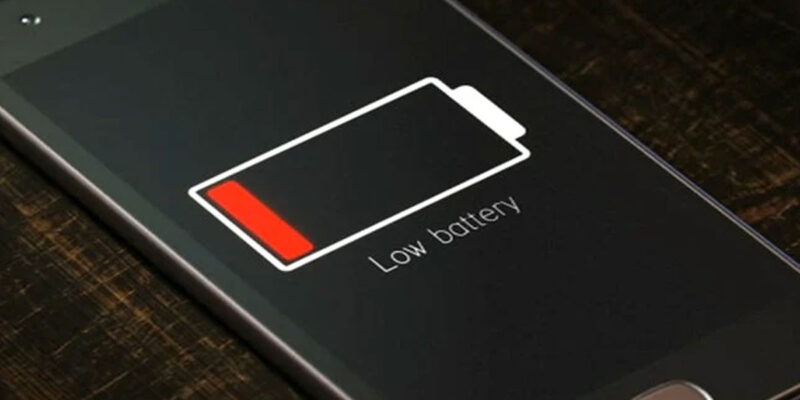
By Your Android used to last all day and now it barely makes it to 3 PM. You haven’t changed how you use it — so what’s happening? The answer is almost always one of a handful of specific causes, each of which has a direct fix.
Step One: Find What’s Actually Draining It
Go to Settings > Battery > Battery Usage. This shows you exactly which apps and system processes consumed power in the last 24 hours. The list should make intuitive sense — screen typically tops it, followed by apps you actually used. If you see a background process or app you don’t use consuming 10–20% of your battery, that’s your problem right there.
Screen Brightness Is Often the Main Culprit
The display is typically the single biggest battery consumer on any smartphone. If you regularly use your phone at high brightness, enabling adaptive brightness (Settings > Display > Adaptive Brightness) lets the phone automatically dim in darker environments. Also reduce your screen timeout under Settings > Display > Screen Timeout to 30 seconds or 1 minute.
Location Services Running Constantly
GPS is one of the most power-intensive features on your phone. Go to Settings > Location > App Permissions and audit every app that shows All the Time. That setting means the app can ping your GPS even when you’re not using it. Downgrade every app that doesn’t genuinely need constant location access to Only While Using or deny it entirely.
Push Email and Aggressive Sync
If you have multiple email accounts set to push sync (meaning they check constantly for new messages), this adds up. For accounts you don’t urgently monitor, go to their sync settings and change to every 15 or 30 minutes instead of instant push. Gmail can stay on push, but secondary accounts — older email, professional accounts — don’t need to check every 30 seconds.
A Recent App Update Broke Something
Sudden unexpected battery drain often coincides with an app update that introduced a background bug. If battery life dropped sharply in the last few days, look at your recently updated apps. Clear the cache for any that appear high in the battery usage list. If one stands out as the problem, try uninstalling and reinstalling it — this usually resolves update-related bugs.
The Battery Itself Is Aging
Lithium batteries degrade with every charge cycle. After two to three years of daily charging, a battery might hold only 70–80% of its original capacity, meaning it drains faster even when the usage percentage shows the same numbers. If your phone is old and you’ve tried everything else, battery replacement is often the best and most cost-effective fix.
Mobile Data Versus Wi-Fi
Your phone uses significantly more battery searching for and maintaining a cellular data connection than it does connected to Wi-Fi. If you’re in an area with weak cell signal, the cellular radio works overtime. Stay on Wi-Fi when you’re at home or in the office, and enable Wi-Fi Calling if available to route voice calls over your home network.
Views: 86

You may also like

How to Use Your Phone to Support Someone Going Through a Hard Time

How to Use Your Phone to Stay Financially Organised During a Life Event

How to Use Your Phone to Stay Motivated When You Feel Like Giving Up
More in:Apps

How to Use Your Phone to Find a Therapist or Mental Health Support

How to Keep Kids Safe Online When They’re Using Your Phone

The Best Free Apps That Replace Paid Subscriptions You’re Probably Wasting Money On

TecRounder is a blog that shares New Technology news from around the world (hence the name TecRounder), including the most recent mobile and gadget information: smartphone features, specifications, and more. You can find the latest technology updates here, including the most recent information on smartphones, laptop computers, and other electronic devices.