How to Actually Read WhatsApp Messages Without the Blue Ticks Showing
 By
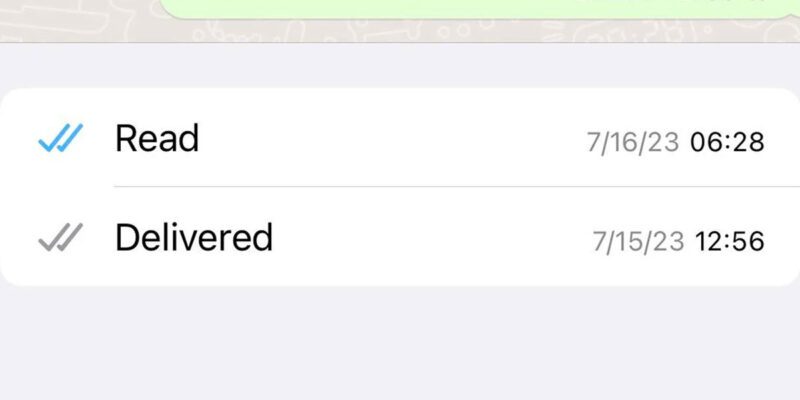
By Blue ticks on WhatsApp are a social pressure device. The moment you read a message, the sender knows — and now there’s an implicit expectation that you’ll respond. Sometimes you need a moment to think. Sometimes you want to read something without immediately being on the hook to reply. Sometimes you just need a few minutes before you’re ready to engage with whatever the message contains.
Here are all the methods that actually work, with honest notes on each one’s limitations.
Method 1: Disable Read Receipts Entirely
The simplest option is to turn off read receipts for everyone. Go to WhatsApp Settings > Privacy > Read Receipts and toggle it off. When you do this, blue ticks won’t appear on your messages to others, and you also won’t see when others have read your messages. This is a mutual arrangement — you get the privacy but you also lose the visibility.
This works cleanly and completely. The only reason not to do it is if you specifically want to know when your own messages have been read by others.
One important nuance: read receipts in group chats cannot be disabled. Even with the setting turned off, opening a group message will mark it as read for the group and may be visible in the group’s “read by” list.
Method 2: Read From the Notification Preview
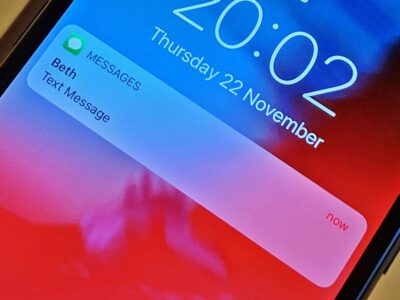
When a message arrives, a notification appears at the top of your screen with a preview of the content. In many cases, the full message or most of it is visible in this preview without you ever opening the app. Reading from the notification doesn’t trigger read receipts.
You can expand the notification on both Android and iPhone to see more of the message. On Android, swipe down on the notification to expand it. On iPhone, long-press or swipe down on the notification banner.
The limitation is obvious: for long messages, you only see what fits in the preview. And you can’t see media this way.
Method 3: Put Your Phone in Airplane Mode
Turn on Airplane Mode before opening WhatsApp. Read the message. Close WhatsApp completely (force close it, not just minimize). Then turn off Airplane Mode. This works because read receipts are sent to WhatsApp’s servers when the app syncs — if there’s no network connection when you open the message and you close the app before reconnecting, the receipt never gets sent.
The catch is that this requires remembering to do it before you open the app. And you need to force-close the app before reconnecting to the internet — just pressing the home button isn’t enough. On iPhone, swipe up from the bottom and swipe the WhatsApp card away. On Android, use the recents button and swipe it closed.
Method 4: Use WhatsApp Web Without the App Open on Your Phone
Open WhatsApp Web on a computer (web.whatsapp.com). This requires your phone’s WhatsApp to be open at least initially to scan the QR code, but once linked, you can read messages in the browser. Messages read on WhatsApp Web do appear to send read receipts in some configurations, so this isn’t foolproof — but in testing it’s more inconsistent than the other methods.
Method 5: The Notification Widget on Android
Some Android launchers and notification widgets allow you to read full WhatsApp notifications without the messages being marked as read in the app. This varies by launcher and Android version, but it’s worth exploring if you use a custom launcher.
The Human Reality of This
All of these methods are ways of managing a social expectation that WhatsApp has built into its design. The blue tick creates a form of social accountability that can feel invasive in certain relationships or contexts.
There’s nothing wrong with wanting a private moment to read a message before deciding how and when to respond. The best long-term solution, though, especially with people you’re close to, is to communicate your response style directly: “I read things when I can and reply when I have the headspace for it” is information that makes the blue tick much less loaded. Technology solutions help in the short term; communication norms are what actually change the dynamic.
Views: 0

You may also like
How to Stop Your Phone From Constantly Interrupting You With Notifications
Why Does My Phone Get So Hot When I’m Not Even Using It?
My Phone Died and Won’t Charge — Here’s What Actually Fixed It
More in:Gadgets

How to Organize Your Phone Photos Into Albums Without Losing Your Mind
How to Save Money on Your Phone Bill Without Switching Carriers

How to Tell If an App Is Safe to Download Before You Install It

TecRounder is a blog that shares New Technology news from around the world (hence the name TecRounder), including the most recent mobile and gadget information: smartphone features, specifications, and more. You can find the latest technology updates here, including the most recent information on smartphones, laptop computers, and other electronic devices.