 By TecRounder
I became bored with my home screen and app drawer because they had become boring and distracting. I even tried a utility-focused launcher to increase my efficiency, but this time I wanted something new.
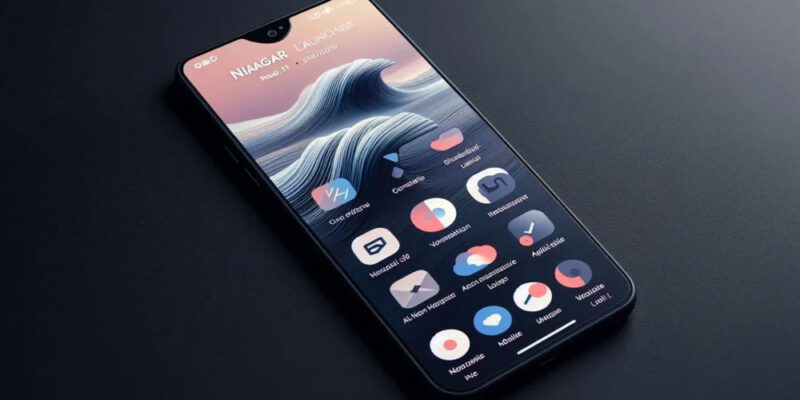
That’s why I switched to Niagara Launcher. It is specifically built for current, large-screen phones to provide a new, simple, efficient, and distraction-free method to access apps and information.
I became dissatisfied with my home screen and app drawer since they had become boring and distracting. I even tried a utility-focused launcher to increase my efficiency, but this time I wanted something new.
That’s why I switched to Niagara Launcher. It is specifically built for current, large-screen phones to provide a new, simple, efficient, and distraction-free method to access apps and information.
Niagara Launcher is a simple, one-handed Android homescreen. It has a streamlined list structure, adaptive notifications, and an emphasis on efficiency to decrease distractions and clutter on your phone.
How to get started using Niagara Launcher.
I made Niagara mine with little effort.
Customising Niagara Launcher is simple; the process is as straightforward as the launcher itself. Simply download Niagara Launcher and follow these instructions to actually own it from the start:
- Launch Niagara and follow the pop-ups to allow needed permissions. You will need to enable notifications and accessibility permissions to get the full experience.
- Customise your favourite apps, adding up to eight.
- Scroll to the bottom of the drawer, go to Niagara settings, and enable the automatic music app appearance.
- In its settings, you can change your themes and appearance.
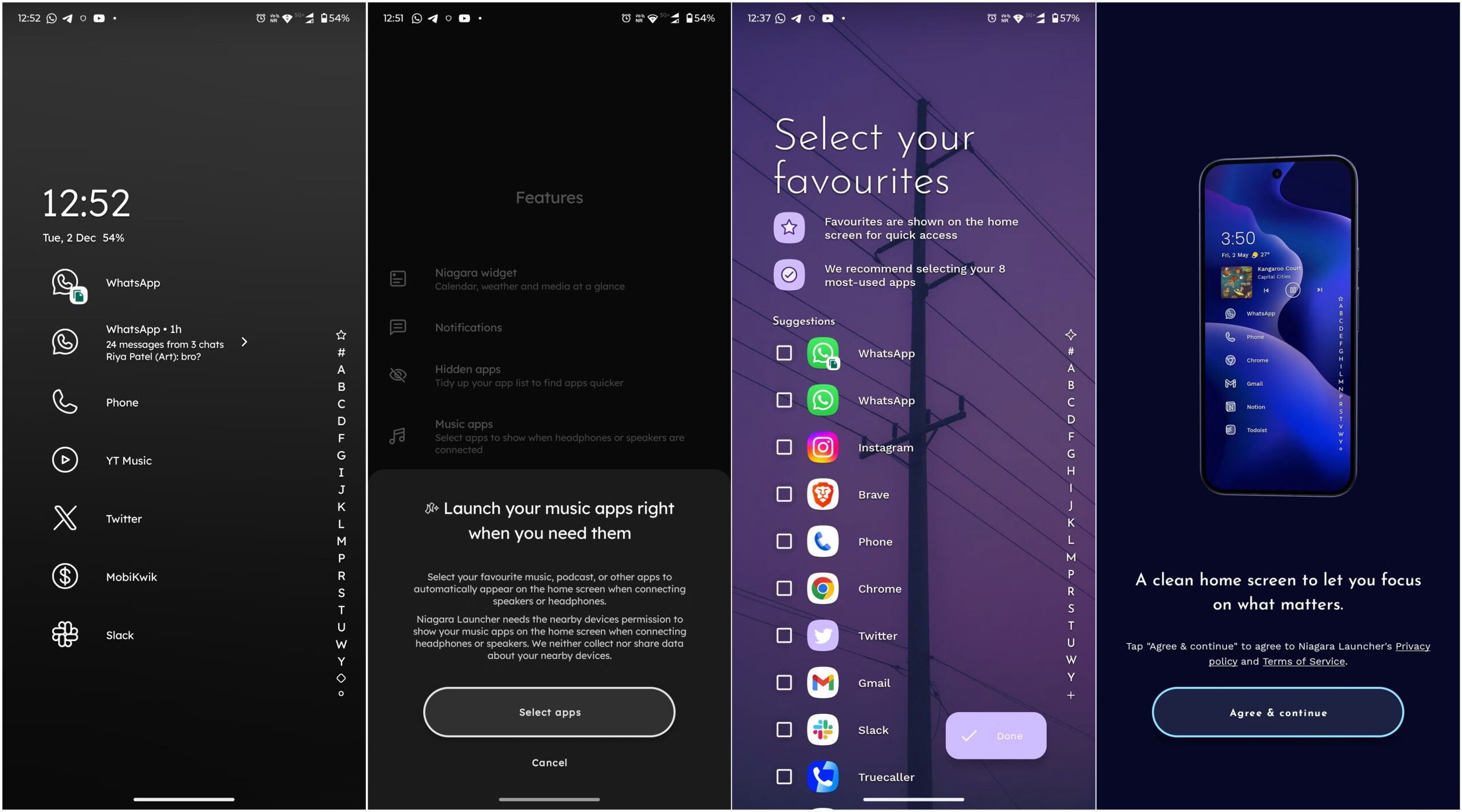
Niagara Launcher is all about minimal customisations. When compared to other Android launchers, it may appear that there are to no customisation options. However, with these basic customisations, Niagara achieves the ideal combination of distraction-free and simple setup.
Niagara is designed for one-handed use.
You no longer need to stress your fingertips.
Traditional Android launchers are fundamentally the same: a grid over the home screen(s). It was designed for much older, smaller devices than we use now. This grid layout, while familiar, is inconvenient because we have to reach our fingers all the way to the corner to open specific programs.
On the opposite end of the spectrum, Niagara includes a vertical scrolling list of programs that can be accessed with a single thumb. Instead of flipping through numerous pages, find the essentials directly on the home page and the rest with a single swipe.
The launcher’s alphabetical wave scrollbar on the side allows you to rapidly navigate to any letter segment in your app list, letting you access any program without having to search for it. This design makes it easier to access an increasing number of apps while putting less strain on your fingers.
Intelligent and contextual features.
It’s smart and helps you get things done.
Niagara is more than simply minimalism; it also makes our phones slightly more functional. It includes clever features that keep your home screen clean while displaying vital information as needed. When you use media apps, the currently playing media will automatically rise to the top.
Niagara also includes embedded alerts that appear neatly in the drawer list, making it easy to notice what’s new. Going through fresh notifications is clearer and more organised for me than seeing a small dot and a chaotic stream of messages in the notification box.
Light on resources
Run it without worrying about consuming your entire phone
Niagara Launcher is extremely resource-efficient, using only about 115 MB of my phone’s storage. This compact size allows it to run smoothly, with fast animations and a fluid interface, even on lower-end phones. You will not experience the latency or stuttering that frequently occurs with overly loaded launchers.
The launcher supports Android 15 features like App Archiving and Private Space integration, demonstrating that it has kept up with the latest OS updates. To turn off the screen without using the power button, double-tap the alphabet scrollbar.
Niagara Launcher changes the way you use your phone
It helped me work smarter while also being useful
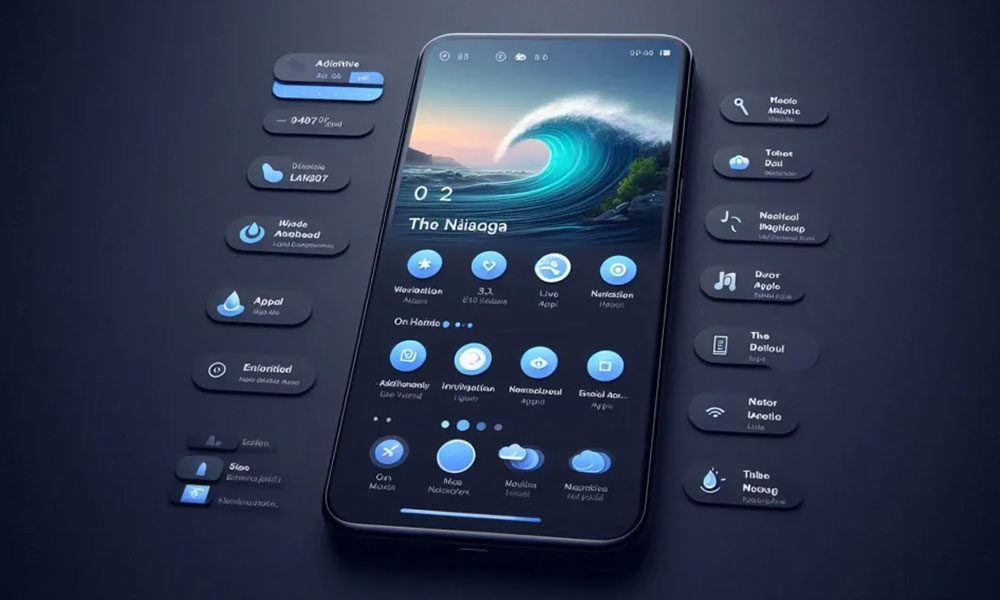
Niagara launcher
One of the reasons I prefer Niagara Launcher is the way it affects my phone utilisation. I feel less distracted because it reduces clutter and focuses on important apps and timely information. The minimalist design reduces the need to continually open multiple programs or become immersed in social media.
Inline message previews and contextual app presentation decrease wasteful app switching, making interactions with my phone more deliberate. I particularly appreciate the one-handed simplicity, which eliminates awkward finger strains and improves accessibility.
There is a slight adjustment period—some people find the absence of typical home screen widgets and grids odd at first. But after a few days, I’m confident you’ll find it a more refreshing and efficient way to use your gadget.
This is the difference you’ve been looking for.
Switching to the Niagara launcher was the unexpected refresher I needed. It eliminated my dissatisfaction with typical grid-style layouts by replacing them with an ergonomic, one-handed experience appropriate for my 6.9-inch smartphone.
It’s not just about cosmetic minimalism; Niagara’s contextual features, such as embedded alerts and automated media controls, make your phone seem faster and wiser without adding clutter.
Niagara even made a visible difference in my daily usage by removing visual distractions and allowing me to focus on the fundamentals, making conversations more thoughtful and less distracting. It doesn’t solve the flaws that other Android launchers have, but it’s certainly more enjoyable to use.
Views: 148

You may also like

T-Mobile class action contends that the corporation failed to honour the $200 gift card promotion.
Xbox confirms ‘Project Helix’, a next-generation console that will also play PC games.

MacBook Neo vs MacBook Air: Which Apple Laptop Is Better in 2026?
More in:Apps
What indications suggest about a potential Windows 12

God of War Greek trilogy remake is in progress, and God of War Sons of Sparta is available now.
Check your mail: You may have received a payment as part of a $95 million Apple settlement.

TecRounder is a blog that shares New Technology news from around the world (hence the name TecRounder), including the most recent mobile and gadget information: smartphone features, specifications, and more. You can find the latest technology updates here, including the most recent information on smartphones, laptop computers, and other electronic devices.